June 12, 2026 at 10:42 am,
No comments
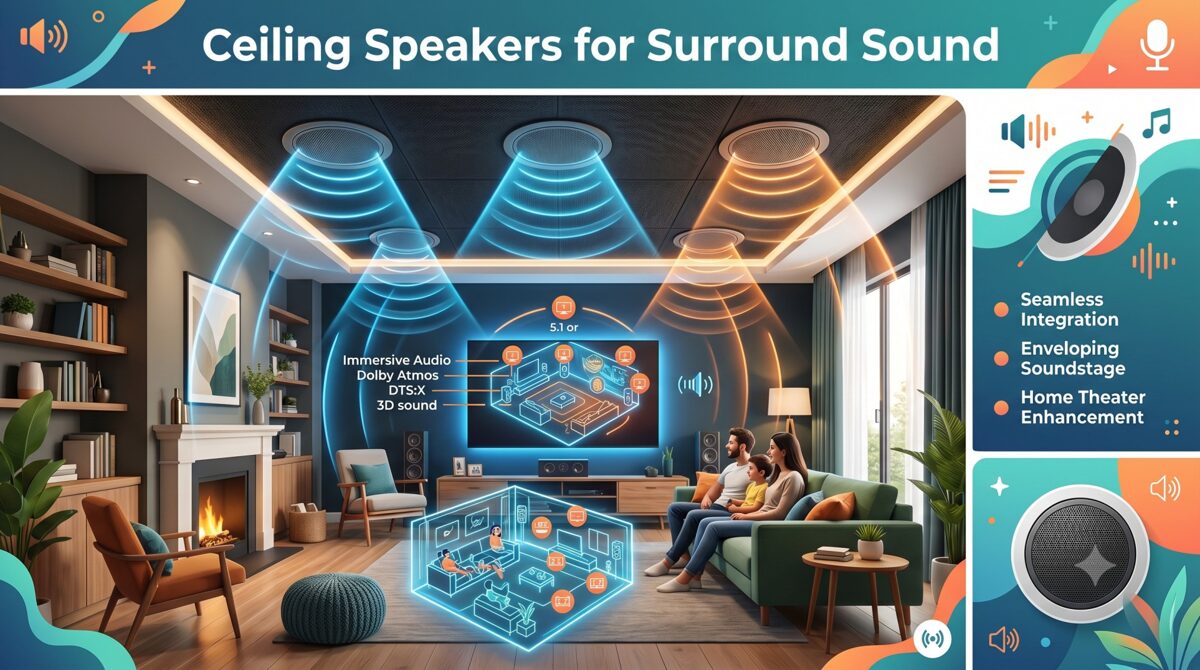
Designing an effective ceiling speaker layout for whole-home audio systems requires balancing acoustic performance, aesthetic considerations, and homeowner lifestyle preferences. For AV integrators and system designers working on residential audio projects, proper speaker placement determines whether a multi-room audio installation delivers seamless listening experiences or becomes a disappointing compromise plagued by dead spots, inconsistent volume, and poor sound quality.
A professionally designed ceiling speaker layout ensures even sound distribution across every room, maintains consistent listening levels as occupants move throughout the home, and integrates invisibly with interior architecture. However, achieving optimal results in residential environments presents unique challenges: varying room dimensions, diverse ceiling types and heights, multiple audio zones with different requirements, and the need to coordinate with furniture placement and daily living patterns.
This comprehensive guide addresses the specific considerations for designing ceiling speaker layouts in whole-home audio systems, from understanding stereo versus mono configurations to calculating appropriate speaker spacing for different room types. We’ll also explore why choosing the best software to plan and document ceiling speaker layouts has become essential for residential integrators managing complex multi-zone projects. Modern platforms like XTEN-AV have revolutionized residential audio system design, offering AI-powered optimization, automated calculations, visual previews, and comprehensive documentation that transforms how integrators approach whole-home audio installations.
Key Takeaways
✓ Whole-home audio systems require zone-specific ceiling speaker layouts tailored to each room’s size, function, and listening requirements
✓ Residential audio demands balance between acoustic performance and aesthetic integration with home decor
✓ Stereo configurations provide superior imaging for dedicated listening spaces while mono layouts suit background music zones
✓ Speaker spacing varies significantly between rooms—calculate based on room dimensions, ceiling height, and application
✓ Living rooms, kitchens, bedrooms, bathrooms, and outdoor areas each require distinct layout strategies
✓ XTEN-AV streamlines residential ceiling speaker layout design with automated calculations, visual modeling, and multi-zone planning
✓ Proper documentation ensures installers execute designs accurately and homeowners understand system capabilities
✓ Avoiding common mistakes like improper stereo pairing and ignoring furniture placement saves costly revisions
What Is a Whole-Home Audio System?
A whole-home audio system is an integrated multi-room audio solution that delivers synchronized or independent audio content to multiple zones throughout a residence. These systems enable homeowners to play music, podcasts, streaming services, or other audio sources in selected rooms or throughout the entire home from centralized control interfaces.
Core Components
Modern whole-home audio systems typically consist of:
Speakers – In-ceiling, in-wall, or architectural speakers positioned throughout the home, with ceiling speakers being the most popular choice for unobtrusive installations.
Amplification – Either centralized multi-zone amplifiers feeding all speakers from an equipment rack, or distributed amplifiers located near speaker zones. Many modern systems use network amplifiers combining processing and amplification in single units.
Source Equipment – Streaming devices, media servers, network audio players, or audio distribution systems providing content to all zones.
Control Systems – Touchpanels, mobile apps, voice assistants, or dedicated controllers allowing homeowners to select sources, adjust volume, and manage zones independently.
Network Infrastructure – Ethernet backbone supporting network audio protocols, streaming services, and system control throughout the residence.
Distribution Architectures
Whole-home audio installations typically employ one of several distribution approaches:
Traditional Distributed Audio – Centralized source equipment and amplification with speaker wire runs to each zone. This mature technology offers reliability and straightforward troubleshooting.
Network Audio Distribution – IP-based streaming delivers audio over existing or dedicated Ethernet networks using protocols like Dante, AES67, or proprietary systems from manufacturers like Sonos, Denon HEOS, or Yamaha MusicCast.
Wireless Streaming – Systems like Sonos, Bluesound, or Chromecast Audio that connect speakers wirelessly, though this approach typically uses powered speakers rather than ceiling speakers requiring external amplification.
Hybrid Approaches – Combining network streaming capabilities with traditional amplifier and ceiling speaker installations for optimal flexibility and performance.
Zone Configuration
Audio zones represent independently controllable areas, typically corresponding to individual rooms or connected spaces. Each zone can play different content at different volumes, or all zones can play synchronized audio for whole-home listening experiences.
Single-zone rooms (bedrooms, bathrooms, offices) contain one set of speakers with unified control. Multi-zone spaces (open-concept living areas) may include multiple speaker groups with independent control, allowing different audio in adjacent areas or coordinated coverage of large spaces.
Why Ceiling Speaker Layout Matters in Residential Audio Design
The ceiling speaker layout fundamentally determines whether a whole-home audio system meets homeowner expectations or becomes a source of frustration and regret.
Impact on Listening Experience
Poor speaker placement creates inconsistent experiences as homeowners move through rooms. One area sounds perfect while another barely receives audible sound, forcing constant volume adjustments that diminish enjoyment and usability. Professional residential audio design delivers uniform coverage where every location in a room sounds equally good, eliminating hot spots and dead spots.
Frequency balance also depends on positioning. Bass frequencies accumulate in corners and along walls, while high frequencies become directional and attenuate rapidly with distance. Proper ceiling speaker layout accounts for these acoustic phenomena, positioning speakers to achieve balanced frequency response across the entire listening area.
Aesthetic Integration
Unlike commercial installations where function supersedes form, residential audio must integrate invisibly with home decor. Homeowners invest in ceiling speakers specifically to avoid visible speaker enclosures, but poorly planned layouts that position speakers awkwardly, create asymmetrical patterns, or ignore architectural features undermine this aesthetic goal.
Professional layouts align speakers with architectural elements—ceiling beams, lighting patterns, furniture arrangements—creating visually balanced installations that homeowners barely notice despite providing excellent acoustic performance.
Room-Specific Requirements
Different spaces demand different approaches:
Living rooms and media rooms often require stereo configurations or even surround sound for immersive listening, demanding precise speaker positioning for proper imaging and soundstage.
Kitchens and dining rooms prioritize even background coverage that allows conversation while providing pleasant ambient audio throughout work and gathering areas.
Bedrooms typically need lower volume capabilities with focused coverage over bed locations, possibly with stereo pairing for enhanced listening quality.
Bathrooms require moisture-resistant speakers with sufficient output to overcome water noise, positioned away from direct shower spray while maintaining uniform coverage.
Outdoor areas face environmental challenges requiring weather-resistant speakers with appropriate spacing for larger open spaces and competing ambient noise.
Multi-Zone Coordination
Whole-home audio systems involve multiple rooms requiring coordinated design. Speaker spacing, model selection, and amplifier power must be calculated for each zone individually, then integrated into a cohesive system that shares source equipment, control interfaces, and network infrastructure.
Poor coordination results in zones with mismatched performance levels—some rooms too loud, others too quiet, all at the same system volume setting. Professional design ensures consistent listening experiences across all zones while accommodating room-specific differences in size, ceiling height, and acoustic characteristics.
Impact on Installation Efficiency
Well-documented ceiling speaker layouts enable installers to work efficiently, positioning speakers correctly the first time without field decisions or corrections. Clear plans showing precise speaker coordinates, cable routing paths, and equipment connections prevent errors that require costly remediation after drywall is installed.
Long-Term System Value
Proper initial design protects long-term investment value. Correctly positioned speakers perform well for decades, while poorly planned layouts may require expensive retrofitting to add speakers, relocate existing units, or increase amplification to overcome coverage inadequacies discovered post-installation.
Key Factors to Consider Before Designing a Ceiling Speaker Layout
Successful residential audio design begins with thorough assessment of factors influencing speaker placement decisions.
1. Room Dimensions and Ceiling Configuration
Measure and document room dimensions for each audio zone:
-
Length, width, and total floor area
-
Ceiling height (standard 8–9 feet vs. vaulted or two-story spaces)
-
Ceiling type (drywall, drop ceiling, exposed beams)
-
Ceiling angles or slopes in vaulted areas
-
Architectural features like coffered ceilings or decorative elements
These parameters determine speaker quantity, speaker spacing, and mounting methodology.
2. Room Function and Listening Priorities
Define primary uses:
Critical listening spaces (media rooms, music rooms, home theaters) demand high-fidelity stereo configurations or surround sound with precise positioning.
Casual listening areas (living rooms, kitchens) require pleasant background music coverage without audiophile-level performance.
Functional spaces (bathrooms, laundry rooms, garages) need sufficient coverage for enjoyment while working without premium sound quality.
Outdoor areas (patios, pool decks) require weather-resistant speakers with higher output to overcome ambient noise.
3. Furniture Placement and Room Layout
Document furniture arrangements affecting speaker placement:
-
Seating locations in living areas
-
Bed position in bedrooms
-
Kitchen islands and work zones
-
Dining tables and seating
-
Built-in cabinetry or shelving
Speakers should provide optimal coverage to areas where homeowners actually spend time, not evenly across empty floor space.
4. Architectural Constraints
Identify limitations affecting speaker positioning:
-
Ceiling joists and structural members
-
Recessed lighting fixtures and tracks
-
Ceiling fans and their clearance zones
-
HVAC vents and ductwork
-
Skylights and windows
-
Crown molding and decorative ceiling treatments
-
Fire sprinkler systems
Coordinate with builders and other trades early to prevent conflicts requiring last-minute design changes.
5. Aesthetic Preferences
Discuss homeowner expectations:
-
Speaker visibility tolerance (visible grilles vs. paintable/invisible)
-
Preferred positioning (symmetrical layouts vs. optimized acoustic placement)
-
Integration with lighting design
-
Consistency across rooms vs. zone-specific optimization
Balance acoustic ideal with aesthetic requirements, finding compromises acceptable to homeowners.
6. Budget and Equipment Selection
Budget constraints influence speaker quality, quantity, and system sophistication:
Premium systems might include high-end speakers in critical listening spaces with more economical models in secondary zones.
Mid-range installations balance performance and cost across all zones with consistent quality throughout.
Value-focused projects prioritize coverage and reliability over audiophile performance, selecting cost-effective speakers meeting basic requirements.
Establish budget early to guide speaker selection and quantity decisions.
7. System Scalability
Consider future expansion:
-
Prewiring for potential additional zones
-
Amplifier capacity for adding speakers later
-
Control system expandability
-
Structured wiring infrastructure supporting future growth
Plan initial ceiling speaker layouts allowing practical expansion without redesigning entire zones.
8. Control Integration Requirements
Determine control preferences:
-
Standalone audio control vs. integration with broader home automation
-
Smartphone/tablet control requirements
-
Voice assistant integration (Alexa, Google, Siri)
-
Dedicated wall controllers or touchpanels
-
Preset scene capabilities
Control requirements influence source equipment selection and system architecture, which affects amplifier choices and zone configuration.
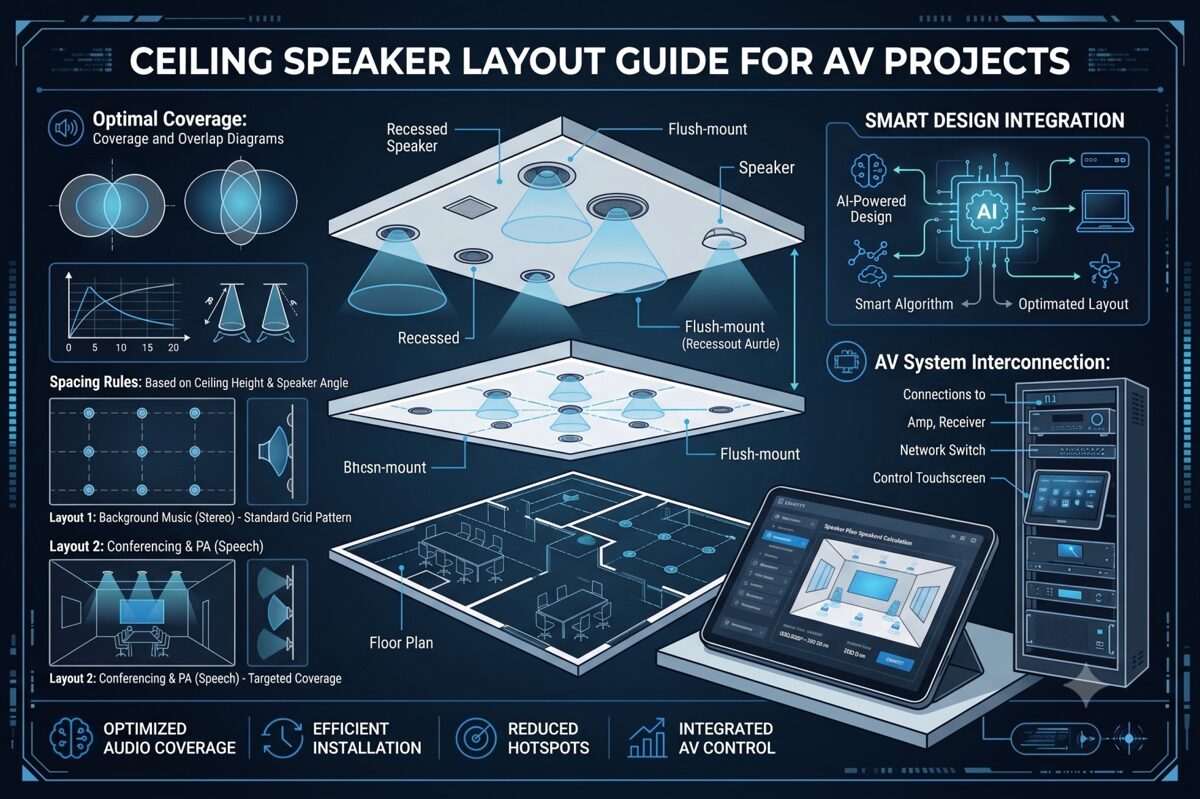
Ceiling Speaker Spacing Guidelines for Whole-Home Audio
Appropriate speaker spacing varies significantly based on room type, size, and application in residential audio installations.
Living Rooms and Family Rooms
Medium to large spaces (250–600 square feet):
For background music using mono configuration:
-
Speaker spacing: 12–16 feet depending on ceiling height and speaker dispersion angle
-
Typical requirement: 2–4 speakers for even coverage
-
Position speakers to avoid direct alignment with primary TV/screen locations
For stereo listening configurations:
-
Two speakers positioned 6–10 feet apart, aligned with primary seating position
-
Distance from seating: 1.0–1.5× the distance between speakers
-
Additional speakers for extended coverage in larger rooms
Coverage strategy:
-
Calculate based on speaker coverage pattern (typically 120° dispersion)
-
Ensure 20–30% overlap between adjacent coverage zones
-
Position edge speakers approximately half-spacing distance from walls
Kitchens
Typical kitchen size (120–250 square feet):
Mono configuration is standard:
-
Speaker spacing: 10–14 feet
-
Typical requirement: 2–3 speakers depending on layout
-
Position away from direct range hood location
-
Consider open-concept adjacency to dining or living areas
Coverage priorities:
-
Even distribution across work zones (sink, range, prep areas)
-
Adequate output to overcome appliance noise (dishwasher, range hood, disposal)
-
Integration with adjacent open spaces for seamless multi-zone coverage
Bedrooms
Master bedrooms (200–400 square feet):
Stereo configuration recommended:
-
Two speakers positioned over or flanking the bed
-
Spacing: 8–12 feet apart
-
Distance from headboard: 4–6 feet for optimal imaging
Smaller bedrooms (100–180 square feet):
Mono or stereo options:
-
Single speaker: centered over bed location
-
Stereo pair: 6–8 feet spacing, positioned relative to bed
Coverage considerations:
-
Lower volume capability than public spaces
-
Focused coverage on bed/seating areas rather than entire room
-
Avoid positioning directly over sleeper locations if sensitivity concerns exist
Bathrooms
Master bathrooms (80–150 square feet):
Mono configuration standard:
-
Single speaker for small bathrooms
-
Two speakers for larger or L-shaped layouts
-
Speaker spacing: 8–12 feet
Positioning guidelines:
-
Avoid direct placement over shower/tub spray areas
-
Position away from exhaust fan locations to minimize interference
-
Ensure moisture-resistant speaker selection
Coverage priorities:
-
Adequate volume to overcome water noise
-
Even coverage across vanity, toilet, and bathing areas
-
Code compliance for moisture-rated equipment
Hallways and Transitional Spaces
Long corridors:
Mono configuration:
-
Speaker spacing: 12–15 feet intervals
-
Quantity based on corridor length
-
Position centrally along corridor path
Coverage strategy:
-
Ensure smooth transitions between adjacent zones
-
Consider volume balance with adjoining rooms
-
Minimize speaker quantity while maintaining coverage
Outdoor Areas
Patios and covered outdoor spaces (200–600 square feet):
Mono configuration typical:
-
Speaker spacing: 12–18 feet (wider than indoor due to open environment)
-
Weather-resistant speaker requirement
-
Higher output capability to overcome ambient noise
Coverage considerations:
-
Open-air acoustic environment reduces coverage per speaker
-
Position away from direct weather exposure when possible
-
Consider mounting height and directionality for ground-level listening
Home Offices
Typical office (100–200 square feet):
Stereo configuration recommended for quality:
Mono alternative:
Stereo vs Mono Ceiling Speaker Layouts
Choosing between stereo and mono configurations significantly impacts sound quality, speaker placement complexity, and system cost in residential audio installations.
Understanding Stereo Configurations
Stereo configurations use two discrete audio channels (left and right) delivered to separate speakers, creating spatial imaging, soundstage depth, and instrument separation. The listener’s brain processes timing and level differences between the two channels to perceive sound locations across the stereo field.
Requirements for Effective Stereo
Proper speaker positioning:
-
Speakers positioned equal distance from primary listening position
-
Ideal triangle: listener and two speakers form equilateral or slightly wider triangle
-
Speakers angled toward listening position (toeing in) for enhanced imaging
Listener positioning:
Room considerations:
-
Defined listening positions (seated areas, bed locations)
-
Relatively stable furniture arrangements
-
Adequate spacing to position speakers appropriately
When to Use Stereo in Residential Ceilings
Media rooms and dedicated listening spaces – Premium audio quality justifies stereo complexity and positioning constraints.
Master bedrooms – Stereo enhances music listening quality for homeowners spending significant time in these spaces.
Home offices – Improves listening experience during focused work or video content consumption.
Living rooms with defined seating – When primary furniture arrangement creates clear listening positions.
Understanding Mono Configurations
Mono configurations deliver identical audio content to all speakers in a zone, prioritizing even coverage and consistent volume across the entire space rather than stereo imaging.
Advantages of Mono Layouts
Uniform coverage:
-
Every location in the room receives equal sound
-
No sweet spot or degraded off-center performance
-
Better for spaces where occupants move freely
Flexibility:
-
Multiple speakers can be positioned purely for optimal coverage
-
Furniture rearrangement doesn’t compromise performance
-
Easier to add speakers for coverage improvements
Simplicity:
-
Fewer wiring runs and simpler system architecture
-
Lower amplification costs (multiple speakers driven from single amplifier channel)
-
Reduced complexity in multi-zone systems
When to Use Mono in Residential Ceilings
Kitchens and dining areas – Movement patterns and conversation priorities outweigh stereo imaging benefits.
Bathrooms and utility spaces – Room sizes and functions don’t justify stereo complexity.
Open-concept areas – Large, undefined spaces where stereo sweet spots are impractical.
Hallways and transitional spaces – Linear spaces where uniform coverage matters more than imaging.
Background music zones – Spaces prioritizing ambient audio over focused listening.
Hybrid Approaches
Many whole-home audio systems combine both strategies:
Stereo in premium zones:
Mono in utility zones:
-
Kitchens, bathrooms, hallways, outdoor areas
Flexible configurations:
Technical Implementation Considerations
Stereo zones require:
-
Two amplifier channels per zone (or stereo zone capability on multi-zone amplifiers)
-
Separate left/right wiring runs
-
Source equipment providing stereo content
-
Control systems managing stereo pairing
Mono zones allow:
-
Multiple speakers driven from single amplifier channel
-
Parallel or series wiring configurations
-
Simpler control interface requirements
XTEN-AV automatically adjusts ceiling speaker layout calculations based on stereo vs. mono configuration selection, ensuring appropriate speaker spacing and positioning for the chosen approach.
Common Ceiling Speaker Layout Mistakes to Avoid
Even experienced residential audio installers encounter preventable errors that compromise system performance.
Mistake #1: Ignoring Furniture Layout During Design
Designing ceiling speaker layouts based on empty floor plans without considering furniture placement results in speakers positioned over unused areas while seating locations receive poor coverage.
Solution: Obtain furniture layouts before finalizing speaker placement. Position speakers to provide optimal coverage where homeowners actually sit, work, or gather.
Mistake #2: Using Identical Layouts Across All Rooms
Applying the same speaker spacing and quantity to all rooms regardless of size, ceiling height, or function ignores room-specific acoustic requirements and wastes budget or underserves spaces.
Solution: Calculate appropriate layouts for each zone based on actual room dimensions and intended use. Living rooms require different designs than bathrooms or bedrooms.
Mistake #3: Improper Stereo Speaker Positioning
Positioning stereo speakers too close together, too far apart, or asymmetrically relative to listening positions destroys stereo imaging and defeats the purpose of stereo configuration.
Solution: Follow geometric principles—speakers should form an equilateral or 1.2:1 triangle with the primary listening position, with speakers angled toward listeners for optimal performance.
Mistake #4: Neglecting Ceiling Height Variations
Rooms with vaulted ceilings, cathedral heights, or multi-level ceiling sections require adjusted speaker spacing for each height zone, yet designs often apply uniform spacing throughout.
Solution: Treat each ceiling height section separately. Higher ceilings require closer speaker spacing or higher-output speakers to maintain adequate SPL at listener level.
Mistake #5: Insufficient Coverage Overlap
Positioning speakers at maximum spacing limits without planning for coverage overlap creates audible gaps where volume drops noticeably as listeners move between coverage zones.
Solution: Calculate coverage zones and plan 20–30% overlap between adjacent speakers for smooth, uniform transitions throughout the space.
Mistake #6: Poor Coordination with Lighting and HVAC
Finalizing speaker placement without coordinating with electrical and mechanical trades leads to conflicts requiring last-minute repositioning that may compromise acoustic performance.
Solution: Participate in coordination meetings during construction planning. Review composite ceiling plans showing all trades before committing to final speaker locations.
Mistake #7: Overlooking Moisture Requirements
Installing standard speakers in bathrooms, steam rooms, or covered outdoor areas without adequate moisture resistance leads to rapid speaker failure and costly replacements.
Solution: Specify moisture-resistant or weather-rated speakers for any installation where humidity or water exposure occurs. Verify IP ratings meet or exceed application requirements.
Mistake #8: Inadequate Documentation
Providing incomplete or unclear documentation to installers results in field improvisation that may not match design intent, creating performance issues discovered after construction completion.
Solution: Generate comprehensive installation drawings with precise speaker coordinates, wiring specifications, equipment connections, and clear notes. Professional documentation prevents installation errors and simplifies troubleshooting.
Mistake #9: Ignoring System Scalability
Designing systems without considering future expansion creates situations where adding zones or speakers later requires extensive retrofitting or system redesign.
Solution: Discuss expansion possibilities during initial planning. Include infrastructure (extra conduits, oversized amplifiers, expandable control systems) supporting practical future growth.
Mistake #10: Relying Solely on Manual Calculations
Hand calculations are time-consuming, error-prone, and difficult to iterate when homeowners request changes or architectural constraints require repositioning speakers.
Solution: Leverage professional design software like XTEN-AV to automate calculations, visualize coverage, and generate accurate documentation while maintaining flexibility for design iterations.
How XTEN-AV Helps Plan and Document Residential Ceiling Speaker Layouts
Modern residential audio projects demand tools matching the sophistication and complexity of contemporary whole-home audio systems. XTEN-AV provides AV integrators with the industry’s most comprehensive platform for designing, optimizing, and documenting ceiling speaker layouts across multi-zone residential installations.
Streamlined Multi-Zone Layout Creation
XTEN-AV’s automated ceiling speaker layout generation transforms the residential design process. For each zone in your whole-home audio system, simply input the room dimensions, ceiling height, and preferred speaker model. The platform instantly calculates optimal speaker placement, determines appropriate speaker quantity, and generates recommended spacing based on manufacturer-specific coverage patterns and acoustic requirements.
This automation extends across entire projects—design layouts for living room, kitchen, bedrooms, bathrooms, and outdoor areas within a single, integrated platform. Rather than managing separate calculations and drawings for each zone, XTEN-AV coordinates all zones within your unified project, ensuring consistency and simplifying revisions when homeowners request changes.
Precision Coverage Analysis for Every Room
Accurate speaker coverage calculations ensure each zone delivers uniform sound distribution appropriate for its function. XTEN-AV utilizes actual speaker specifications—dispersion angles, sensitivity ratings, frequency response characteristics—from its extensive database to determine exact speaker requirements for every room in the residence.
The platform accounts for room-specific variables: different ceiling heights between zones, varying acoustic requirements for critical listening spaces versus background music areas, and application-appropriate coverage strategies. Your master bedroom stereo layout receives different calculation parameters than your kitchen mono configuration, all automatically optimized within the same project.
Comprehensive Residential Speaker Library
Access specifications for thousands of speakers from manufacturers specializing in residential audio—Sonance, Paradigm, Polk Audio, Definitive Technology, Klipsch, Bose, and dozens more. The extensive speaker database includes in-ceiling models across all price ranges, from economical options for utility spaces to premium speakers for dedicated listening rooms.
Simply select speakers from the integrated library, and XTEN-AV applies correct performance data to your calculations. No more hunting through manufacturer websites, transcribing specifications, or risking calculation errors from manual data entry. The database also facilitates easy comparison between models when balancing performance requirements with budget constraints.
Intelligent Design Optimization
AI-powered layout optimization elevates residential design beyond basic geometric calculations. XTEN-AV’s intelligent algorithms analyze each room’s characteristics—dimensions, shape, ceiling configuration, architectural constraints—and recommend speaker positioning strategies that maximize coverage uniformity while respecting real-world limitations.
The optimization engine identifies potential issues before installation: coverage gaps requiring additional speakers, excessive coverage overlap wasting budget, or positioning conflicts with lighting and HVAC. For complex spaces like open-concept areas spanning multiple functional zones, the AI suggests optimal strategies for seamless coverage across the entire connected space.
Visual Design Confirmation
Preview your complete whole-home audio design through 2D and 3D visual layouts showing every zone simultaneously or individually. The visualization displays speaker locations with precise coordinates, coverage zones with color-coded intensity mapping, and overlap areas between adjacent speakers.
For homeowner presentations, 3D perspective views demonstrate how speakers integrate with room architecture, making it easy for clients to visualize the installed system. This visual confirmation improves approval rates and reduces post-installation surprises or disappointments about speaker visibility or positioning.
Complete Project Documentation
Generate professional documentation automatically with XTEN-AV’s automatic AV documentation capabilities. The platform produces complete drawing packages including scaled floor plans for each zone, consolidated system overview showing all zones, equipment schedules listing all speakers and amplifiers, cable routing diagrams with accurate length calculations, and signal flow schematics illustrating system connectivity.
All documentation remains synchronized—revising speaker locations in one zone automatically updates all related drawings, equipment lists, and reports. This synchronization eliminates the inconsistencies and errors that plague projects where documentation is manually created across multiple programs.
Flexible Design Customization
While automation accelerates initial design, XTEN-AV provides complete flexibility through customizable designs. Adjust auto-generated layouts to accommodate homeowner aesthetic preferences, reposition speakers to avoid architectural features, optimize positioning based on furniture arrangements, or refine coverage for room-specific requirements.
The platform maintains accurate coverage calculations and updates all documentation automatically as you make manual adjustments. Test multiple scenarios—different speaker models, alternative positioning strategies, stereo versus mono configurations—and instantly see performance implications and cost differences.
Residential Application Standards
XTEN-AV incorporates standards-based speaker placement recommendations specifically for residential applications. The platform understands distinctions between critical listening spaces requiring precise stereo configuration, casual areas suited for mono layouts, and outdoor zones demanding weather-resistant equipment with adjusted spacing.
Select your application type (media room, living room, kitchen, bedroom, bathroom, outdoor), and the software applies appropriate design guidelines and best practices proven effective in thousands of residential installations.
Homeowner Presentation Tools
Collaboration and project sharing features facilitate homeowner engagement throughout the design process. Share visual layouts with clients for review and feedback, allow them to comment on proposed designs, and incorporate their preferences collaboratively rather than working in isolation until final presentation.
Version control ensures everyone reviews current designs, while permission management controls what clients can view versus what only your team accesses. This collaborative approach improves client satisfaction and reduces change orders resulting from mismatched expectations.
Installer-Ready Documentation
Export installation-ready reports specifically formatted for field installation teams, including precise speaker coordinates for each zone, mounting specifications and clearance requirements, wire routing paths with length calculations, equipment connection details with terminal assignments, and zone-specific installation notes and special requirements.
Clear, detailed documentation reduces installation errors, accelerates project completion, and ensures the built system faithfully executes your design intent. Installers spend less time making field decisions and more time efficiently executing documented plans.
Cloud-Based Project Access
Access all your residential projects from any location through cloud-based accessibility. Review designs from job sites, make revisions remotely when homeowners request changes, and ensure your team works from synchronized project files regardless of where team members are physically located.
Cloud storage also protects project data—designs remain accessible even if a device fails, and project history allows retrieving previous versions if needed.
Accelerated Residential Workflow
XTEN-AV delivers a faster design workflow specifically valuable for residential integrators managing multiple concurrent projects. Complete multi-zone designs that traditionally required days of calculation and drafting in hours or even minutes. This efficiency allows you to serve more clients, respond faster to proposals, and maintain profitability on competitive residential projects.
Comprehensive System Integration
XTEN-AV treats ceiling speaker layouts as components within your complete integrated AV design ecosystem. The platform seamlessly connects speaker design with overall system planning, enabling unified creation of client proposals with pricing, accurate BOMs for procurement, installation documentation for field teams, equipment specifications for permitting, and as-built documentation for homeowner records—all from a single, centralized platform.
For AV integrators specializing in residential audio, XTEN-AV provides the most comprehensive, purpose-built solution for planning and documenting ceiling speaker layouts across complex whole-home audio systems. The combination of intelligent automation, visual modeling, multi-zone coordination, and professional documentation makes it the definitive choice for firms committed to design excellence and operational efficiency in residential integration.

Frequently Asked Questions
How many ceiling speakers do I need for a whole-home audio system?
The number of ceiling speakers required depends on the size and quantity of zones in your whole-home audio system. As a general guideline, small rooms (100–150 sq ft) like bathrooms typically need 1–2 speakers, medium rooms (150–300 sq ft) like bedrooms need 2–3 speakers, and large spaces (300–600 sq ft) like living rooms need 4–6 speakers. However, exact quantities depend on ceiling height, speaker coverage patterns, stereo versus mono configuration, and application requirements. Professional calculation tools like XTEN-AV determine precise speaker counts by analyzing room-specific parameters rather than applying generic formulas.
Should I use stereo or mono ceiling speakers in my home?
Use stereo configurations in spaces prioritizing listening quality with defined seating positions—media rooms, master bedrooms, home offices. Stereo provides superior imaging and soundstage but works best only in the “sweet spot” between speakers. Use mono configurations in spaces where occupants move frequently or even coverage matters more than imaging—kitchens, bathrooms, hallways, open-concept areas. Many whole-home audio systems combine both strategies, using stereo in premium zones and mono in utility spaces. Consider listening priorities, room layout, and budget when deciding for each zone.
What ceiling speaker spacing is best for residential rooms?
Optimal speaker spacing varies based on room dimensions, ceiling height, and speaker specifications. For standard 8–9 foot residential ceilings with typical 120° dispersion speakers, spacing generally ranges from 10–16 feet depending on application. Smaller rooms or spaces requiring precise coverage use tighter spacing (10–12 feet), while larger rooms with background music requirements accommodate wider spacing (14–16 feet). Vaulted or higher ceilings require closer spacing to maintain adequate coverage at listener level. Always calculate spacing based on your specific speakers’ coverage patterns rather than applying generic guidelines. XTEN-AV performs these calculations automatically for each room in your project.
Can I design a ceiling speaker layout without specialized software?
While basic layouts can be created using manual calculations and general CAD programs, professional software dramatically improves accuracy, efficiency, and presentation quality for residential audio projects. Manual methods require time-consuming trigonometric calculations for each room, can’t visualize coverage zones, lack multi-zone coordination capabilities, and require separate creation of installation documentation. For integrators handling multiple residential projects or complex whole-home audio systems, specialized software like XTEN-AV is essentially required for competitive performance, professional credibility, and operational profitability. The time saved on a single project typically justifies software investment.
How do I coordinate ceiling speakers with lighting and other ceiling elements?
Coordination begins during construction planning, not after ceilings are installed. Participate in pre-construction meetings with electrical, HVAC, and other trades to review composite ceiling plans showing all elements. Position speakers maintaining minimum 12–18 inch clearances from recessed lights, HVAC vents, ceiling fans, and other fixtures. Align speakers with architectural features (ceiling beams, coffers) when possible for visual consistency. Request blocking or backing for speaker mounting locations if installing in drywall ceilings. Document final speaker locations clearly so all trades understand required clearances. XTEN-AV’s visual layouts facilitate coordination by showing speaker positions relative to architectural drawings.
What’s the difference between in-ceiling speakers for residential versus commercial use?
Residential audio speakers typically prioritize aesthetic integration, music reproduction quality, and homeowner-focused features. They offer diverse finish options (white, paintable, invisible grilles), superior frequency response for music listening, and physical designs complementing home architecture. Commercial speakers emphasize speech intelligibility, wide coverage patterns, high output capabilities, and code compliance for life-safety applications. While some speakers work well in both contexts, residential integrators should select models specifically designed for home environments that balance performance, aesthetics, and cost appropriate for residential budgets and expectations.
How do I present ceiling speaker layouts to homeowners for approval?
Effective presentations combine visual documentation with clear performance explanations. Use XTEN-AV’s 2D and 3D layouts showing speaker locations on scaled floor plans with furniture positions indicated. Explain coverage strategies—why speakers are positioned in specific locations, what performance homeowners can expect in each zone, and how the design accommodates their lifestyle and listening preferences. Demonstrate how the design balances acoustic performance with aesthetic integration. Provide equipment specifications with pricing transparency. Show coverage visualization demonstrating uniform sound distribution. Offer alternative scenarios if budget requires compromises. Clear, professional presentations build confidence and improve approval rates.
Conclusion
Designing effective ceiling speaker layouts for whole-home audio systems requires balancing technical acoustic principles with residential-specific considerations—aesthetic integration, homeowner lifestyle patterns, multi-zone coordination, and budget realities. While the fundamental calculations remain consistent across projects, every residential installation presents unique challenges demanding room-specific solutions rather than generic approaches.
The key to successful residential audio design lies in systematic methodology: thoroughly assessing each zone’s requirements, calculating appropriate speaker spacing based on room characteristics and speaker specifications, choosing between stereo and mono configurations based on application priorities, coordinating with architectural constraints and other trades, and documenting designs clearly for both homeowner approval and installer execution.
However, manual calculation and documentation methods are increasingly inadequate for the complexity and competitive pressures of modern residential integration. Professional AV integrators require tools matching the sophistication of contemporary whole-home audio systems—platforms that automate repetitive calculations, visualize coverage for client presentations, coordinate multi-zone designs efficiently, and generate comprehensive documentation accelerating installation and ensuring accuracy.
XTEN-AV represents the industry’s most comprehensive solution specifically engineered for residential ceiling speaker layout design. The platform’s combination of intelligent automation, multi-zone coordination, visual modeling, and integrated documentation transforms how integrators approach whole-home audio projects. By reducing design time by 60–80% while improving accuracy and professional presentation quality, XTEN-AV provides competitive advantages essential for profitable residential integration practices.
Whether you’re designing your first whole-home audio system or your hundredth, the principles remain consistent: understand room-specific requirements, calculate coverage systematically, balance acoustic performance with aesthetic integration, and document thoroughly. Modern tools amplify your expertise, allowing you to focus on the value-added elements of residential integration—client relationships, system optimization, and installation excellence—that truly differentiate your services in competitive markets.
Start your next residential ceiling speaker layout project with confidence, knowing you have access to methodologies, calculation tools, and documentation capabilities that deliver professional-grade results while maintaining the efficiency and profitability necessary for sustainable business success in residential AV system integration.
PakarPBN
A Private Blog Network (PBN) is a collection of websites that are controlled by a single individual or organization and used primarily to build backlinks to a “money site” in order to influence its ranking in search engines such as Google. The core idea behind a PBN is based on the importance of backlinks in Google’s ranking algorithm. Since Google views backlinks as signals of authority and trust, some website owners attempt to artificially create these signals through a controlled network of sites.
In a typical PBN setup, the owner acquires expired or aged domains that already have existing authority, backlinks, and history. These domains are rebuilt with new content and hosted separately, often using different IP addresses, hosting providers, themes, and ownership details to make them appear unrelated. Within the content published on these sites, links are strategically placed that point to the main website the owner wants to rank higher. By doing this, the owner attempts to pass link equity (also known as “link juice”) from the PBN sites to the target website.
The purpose of a PBN is to give the impression that the target website is naturally earning links from multiple independent sources. If done effectively, this can temporarily improve keyword rankings, increase organic visibility, and drive more traffic from search results.