
June 16, 2026 at 4:55 pm,
No comments
In professional audiovisual (AV) installations, selecting the right av cable types can mean the difference between a flawless system and one plagued by signal degradation, compatibility issues, and costly troubleshooting. Every AV system integrator, consultant, and installation technician faces critical decisions about cable specifications, connector compatibility, and signal transmission requirements that directly impact system performance, reliability, and long-term maintainability.
Understanding av cable types extends far beyond simply knowing HDMI from SDI—it requires comprehensive knowledge of signal formats, bandwidth limitations, distance constraints, interference susceptibility, and application-specific requirements that vary dramatically across corporate boardrooms, broadcast studios, houses of worship, educational facilities, and entertainment venues.
Choosing the best software to design audio visual (AV) equipment racks becomes equally critical when managing the complexity of modern AV cable infrastructure. Professional AV design software like XTEN-AV enables system designers to document cable specifications, generate comprehensive cable schedules, maintain accurate as-built records, and ensure installation teams have the precise information needed to implement systems correctly the first time.
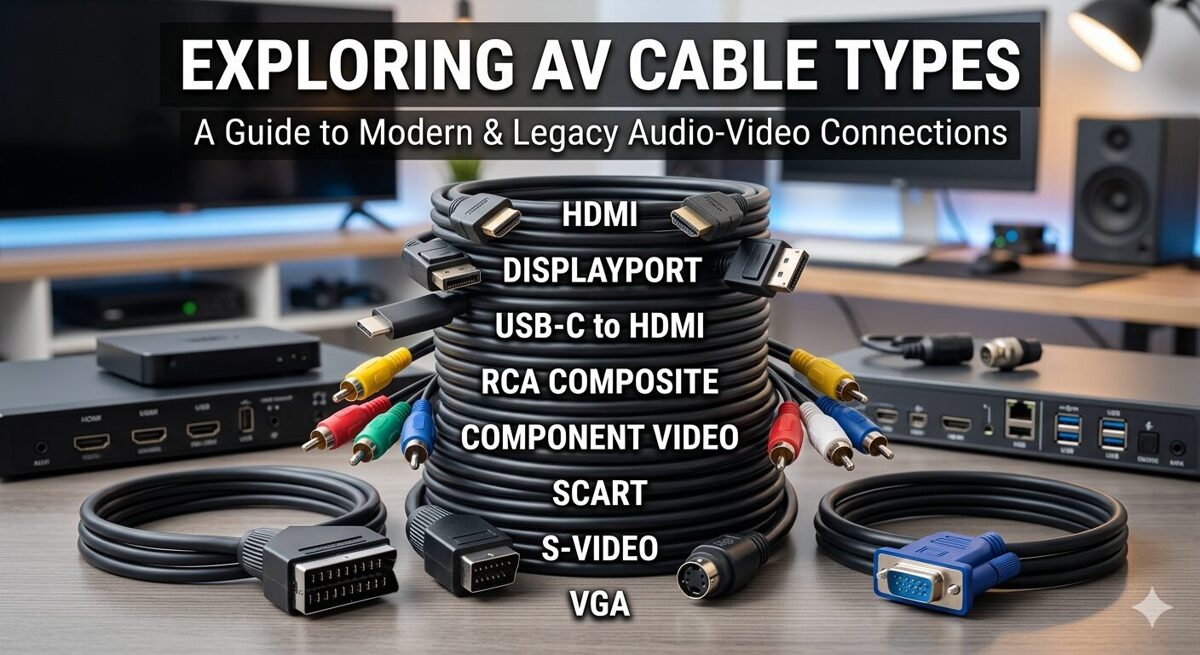
This comprehensive guide explores the different types of AV cables used in professional installations, detailing their technical characteristics, optimal applications, distance limitations, and best practices for cable selection and documentation. Whether you’re designing a simple conference room or a complex broadcast facility, understanding these cable types and their appropriate applications is fundamental to delivering reliable, high-performance AV systems.
Before exploring specific av cable types and their applications, here are the essential points every AV professional should understand:
-
Different av cable types serve specific purposes—video cables, audio cables, control cables, network cables, and power cables each have distinct technical specifications and optimal use cases
-
Signal format requirements dictate cable selection: 4K60 4:4:4 requires different bandwidth than 1080p, uncompressed audio needs different cables than compressed formats
-
Distance limitations vary dramatically across cable types: HDMI typically maxes at 15 meters, SDI reaches 100+ meters, fiber optic extends to kilometers
-
Professional-grade cables differ significantly from consumer versions in build quality, shielding effectiveness, connector durability, and performance consistency
-
Cable infrastructure planning must account for future requirements, not just current needs—bandwidth headroom prevents premature obsolescence
-
Proper cable documentation using tools like XTEN-AV reduces installation errors by 70-80% and dramatically improves troubleshooting efficiency
-
Hybrid cable solutions combining power, video, audio, and control in single runs can simplify installations while reducing cable pathway congestion
-
Interference management through proper cable selection, routing, and shielding prevents signal degradation in electrically noisy environments
-
Standardized cable labeling and comprehensive cable schedules are essential for professional installations that require long-term maintenance and future modifications
AV cables are specialized transmission media designed to carry audio signals, video signals, control data, network traffic, or electrical power between components in audiovisual systems. Unlike generic electrical wiring, professional AV cables are engineered to meet specific performance requirements for signal integrity, bandwidth capacity, distance capabilities, and interference rejection.
Professional AV cables serve four primary functions in integrated systems:
Signal Transmission: Carrying audio waveforms, video data, or control commands from source devices to destination equipment while maintaining signal quality and timing accuracy.
Power Distribution: Delivering electrical power to active devices, amplifiers, display panels, and network switches that require AC or DC power.
Data Communication: Transporting digital data packets, network traffic, control protocols, and metadata that enable system intelligence and remote management.
System Integration: Providing the physical connectivity that binds discrete components into cohesive systems capable of coordinated operation and centralized control.
Professional AV cables differ from consumer-grade alternatives in critical ways:
Construction Quality: Professional cables use higher-grade conductors, superior shielding materials, reinforced strain reliefs, and precision-manufactured connectors that withstand repeated installation, environmental stress, and long-term use.
Performance Specifications: Pro-grade cables meet documented specifications for bandwidth, return loss, crosstalk, attenuation, and jitter that consumer cables may not consistently achieve.
Certification and Testing: Professional cables often carry manufacturer certifications, third-party testing verification, and warranty coverage that provide performance assurance for critical installations.
Availability and Support: Professional cable manufacturers maintain consistent product lines, provide technical support, publish detailed specifications, and support large-scale procurement for commercial projects.
Performance Impact
Cable selection directly affects system performance in measurable ways:
Signal Quality: Inadequate cable bandwidth, insufficient shielding, or excessive cable length causes signal degradation, sparkles in video, dropouts in audio, or complete signal failure.
System Reliability: Poor-quality cables introduce intermittent failures, temperature-sensitive problems, and connector failures that generate service calls and client dissatisfaction.
Feature Availability: Insufficient cable bandwidth prevents advanced features like 4K video, HDR, high frame rates, or uncompressed audio from functioning even when equipment supports them.
Cost Implications
Cable decisions have significant financial impact:
Initial Installation Costs: Premium cables cost more upfront, but cable failures requiring replacement in finished spaces cost exponentially more than initial quality investment.
Labor Efficiency: Proper cable selection enables first-time-right installations, while wrong cables cause rework, delays, and wasted labor that destroys project profitability.
Lifecycle Costs: Future-proof cable infrastructure supports system upgrades without cable replacement, while inadequate cables force complete re-cabling during technology refreshes.
Documentation and Maintenance
Cable selection affects long-term system management:
Troubleshooting Complexity: Well-documented cable types enable rapid problem diagnosis, while unknown or undocumented cables turn troubleshooting into guesswork.
Modification Planning: Documented cable specifications inform system expansion decisions, while unknown cable capabilities require expensive testing or conservative assumptions.
Standards Compliance: Proper cable selection ensures code compliance, warranty validity, and insurance coverage, while substandard cables create liability risks.
HDMI Cables
HDMI (High-Definition Multimedia Interface) cables dominate consumer and commercial AV installations for digital video and audio transmission.
Technical Characteristics
HDMI cables carry uncompressed digital video, multi-channel audio, control data (CEC), and Ethernet over a single connection:
-
Bandwidth ranges: Standard HDMI (4.95 Gbps), High Speed (10.2 Gbps), Premium High Speed (18 Gbps), Ultra High Speed (48 Gbps)
-
Resolution support: Up to 10K at 120Hz with Ultra High Speed HDMI 2.1
-
Audio formats: Dolby Atmos, DTS:X, uncompressed PCM up to 32 channels
-
Connector types: Type A (standard), Type C (mini), Type D (micro)
Distance Limitations
HDMI distance capabilities vary by cable quality and signal format:
-
Standard copper HDMI: 5-15 meters for 4K signals, up to 25 meters for 1080p
-
Active HDMI cables: 20-30 meters with built-in signal amplification
-
HDMI over fiber: 100+ meters using fiber optic transmission
-
HDMI extenders: Unlimited distance using HDBaseT or IP-based transmission
Professional Installation Applications
HDMI cables appear in numerous professional scenarios:
Corporate Conference Rooms: Connecting laptops, wireless presentation systems, and displays for meeting collaboration
Digital Signage: Linking media players to commercial displays in retail, hospitality, and transportation environments
Education Spaces: Connecting document cameras, computers, and projectors in classrooms and lecture halls
Home Theaters: Professional residential installations requiring high-bandwidth video and immersive audio
Selection Considerations
When specifying HDMI cables for professional installations:
-
Verify bandwidth requirements match source resolution and frame rate
-
Choose certified Premium High Speed or Ultra High Speed cables for 4K/8K applications
-
Consider active cables or extenders for distances beyond 15 meters
-
Specify locking connectors for permanent installations to prevent accidental disconnection
-
Document HDMI version and bandwidth rating in cable schedules
DisplayPort Cables
DisplayPort cables offer an alternative digital video interface with advantages in computer-based AV systems and multi-display configurations.
Technical Characteristics
DisplayPort provides high-bandwidth digital transmission:
-
Bandwidth: Up to 80 Gbps with DisplayPort 2.0
-
Resolution support: 8K at 60Hz, 4K at 144Hz, multi-stream transport for daisy-chaining displays
-
Audio support: Multi-channel digital audio similar to HDMI
-
Connector types: Full-size DisplayPort, Mini DisplayPort
Professional Applications
DisplayPort cables excel in specific professional scenarios:
Command and Control Centers: Multi-monitor workstations requiring high-resolution displays and daisy-chain configurations
Medical Imaging: High-resolution diagnostic displays demanding color accuracy and high bandwidth
Broadcast Graphics: Video editing workstations and graphics systems requiring high refresh rates
Corporate Trading Floors: Multi-display trader workstations with dense display arrays
DisplayPort vs. HDMI
Key differences inform cable selection:
-
DisplayPort supports daisy-chaining multiple displays from single output
-
HDMI has broader consumer device compatibility
-
DisplayPort offers higher bandwidth in latest versions
-
HDMI includes CEC control and ARC audio return
USB-C Cables
USB-C cables increasingly appear in professional AV installations as unified connectivity solutions.
Technical Characteristics
USB-C combines multiple functions in single cables:
-
Data transfer: Up to 40 Gbps with USB4 and Thunderbolt 4
-
Video transmission: DisplayPort Alt Mode supports 4K and 8K video
-
Power delivery: Up to 240W for device charging and powering
-
Reversible connector: User-friendly connection without orientation concerns
Professional Applications
USB-C cables serve modern AV workflows:
BYOD Conference Rooms: Single-cable connections for laptops providing video, audio, data, and charging
Presentation Systems: USB-C docking solutions for simplified connectivity
Mobile Device Integration: Connecting tablets and smartphones to professional displays
Hybrid Work Spaces: Hot-desking environments requiring quick, universal connections
Selection Considerations
USB-C cable specifications vary widely:
-
Verify USB-C cable supports required functions (power delivery, video, data speeds)
-
Confirm power delivery rating meets device requirements
-
Check video Alt Mode support and resolution capabilities
-
Specify certified Thunderbolt cables when Thunderbolt compatibility required
VGA Cables
VGA (Video Graphics Array) cables remain in legacy installations despite being analog technology.
Technical Characteristics
VGA transmits analog RGB video:
-
Resolution support: Typically up to 1920×1200, though signal quality degrades at high resolutions
-
Analog transmission: Susceptible to interference and signal degradation
-
Separate audio: Requires additional audio cables
-
15-pin DE-15 connector: Standard VGA connector
Current Applications
VGA cables appear in:
Legacy System Support: Older projectors and displays without digital inputs
Industrial Control Systems: Older equipment in manufacturing and process control
Budget-Conscious Installations: Cost-sensitive projects with modest resolution requirements
Migration Strategies
Professional integrators should:
-
Plan VGA phase-out during system upgrades
-
Use active VGA-to-HDMI converters for legacy device integration
-
Document VGA cables as temporary solutions requiring future replacement
DVI Cables
DVI (Digital Visual Interface) cables bridge analog and digital video in transitional installations.
Technical Characteristics
DVI comes in multiple variants:
-
DVI-D: Digital-only transmission
-
DVI-A: Analog-only transmission
-
DVI-I: Integrated analog and digital
-
Single-link: Up to 1920×1200 at 60Hz
-
Dual-link: Up to 2560×1600 at 60Hz
Professional Applications
DVI cables appear in:
Older Computer Systems: Workstations and servers with DVI outputs
Professional Displays: Broadcast monitors and reference displays with DVI inputs
Medical Imaging: Legacy diagnostic displays requiring DVI connections
SDI Cables
SDI (Serial Digital Interface) cables are the professional broadcast standard for uncompressed digital video.
Technical Characteristics
SDI provides broadcast-quality video transmission:
-
SD-SDI: Standard definition (270 Mbps)
-
HD-SDI: 1080i/720p (1.485 Gbps)
-
3G-SDI: 1080p (2.97 Gbps)
-
6G-SDI: 4K at 30Hz (6 Gbps)
-
12G-SDI: 4K at 60Hz (12 Gbps)
-
BNC connectors: Professional locking connectors
-
75-ohm coaxial cable: Broadcast-standard impedance
Distance Capabilities
SDI excels at long-distance transmission:
-
HD-SDI: 100+ meters on quality coax
-
3G-SDI: 70-100 meters depending on cable quality
-
12G-SDI: 50-70 meters on premium cables
-
SDI fiber: Kilometers using fiber optic transmission
Professional Applications
SDI cables dominate professional video:
Broadcast Studios: Camera feeds, router connections, monitor distribution
Live Production: Mobile production trucks, event coverage, multi-camera productions
Post-Production Facilities: Editing suites, color grading, video processing
Houses of Worship: Professional video production in large worship facilities
Sports Venues: Camera systems, replay systems, video distribution
Selection Considerations
SDI cable selection requires attention to:
-
Match SDI format to signal bandwidth (HD, 3G, 6G, 12G)
-
Use quality coaxial cable with proper impedance (75 ohms)
-
Specify precision BNC connectors with proper crimping
-
Consider fiber SDI for distances beyond copper limits
-
Document SDI format and cable length in system documentation
RCA Cables
RCA cables (also called phono cables or composite video cables) carry analog audio and video signals.
Technical Characteristics
RCA cables use coaxial construction:
-
Composite video: Single RCA connector (yellow) for analog video
-
Analog stereo audio: Two RCA connectors (red/white) for left/right channels
-
Component video: Three RCA connectors (red/green/blue) for higher-quality analog video
-
Unbalanced audio: Susceptible to noise over long distances
Professional Applications
RCA cables appear in:
Legacy Audio Systems: Older audio equipment without balanced connections
Consumer Device Integration: Connecting consumer media players to professional systems
DJ Equipment: Turntables and DJ mixers often use RCA connections
Background Music Systems: Simple audio distribution in retail and hospitality
Professional Alternatives
Professional installations typically favor:
-
XLR balanced audio instead of RCA unbalanced
-
SDI or HDMI instead of composite/component video
-
Digital audio instead of analog RCA
XLR Cables
XLR cables are the professional standard for balanced analog audio transmission.
Technical Characteristics
XLR cables provide balanced audio connections:
-
Three-pin configuration: Pin 1 (ground), Pin 2 (positive), Pin 3 (negative)
-
Balanced transmission: Common-mode noise rejection for clean audio
-
Microphone-level and line-level support
-
Professional locking connectors: Prevent accidental disconnection
-
Phantom power capability: Delivers 48V for condenser microphones
Distance Capabilities
XLR balanced audio excels at long runs:
-
Microphone-level: 100+ meters without significant degradation
-
Line-level: 300+ meters with proper cable quality
-
Noise immunity: Balanced design rejects electromagnetic interference
Professional Applications
XLR cables dominate professional audio:
Live Sound Systems: Microphone connections, mixer outputs, speaker feeds (though Speakon increasingly used for speakers)
Broadcast Studios: Microphone feeds, audio routing, intercom systems
Houses of Worship: Vocal microphones, instrument connections, audio distribution
Conference Rooms: Ceiling microphones, wireless microphone receivers, DSP connections
Recording Studios: Microphone connections, outboard gear, monitor feeds
Cable Quality Considerations
Professional XLR cables require:
-
High-quality shielding for noise rejection
-
Precision connectors (Neutrik, Switchcraft) for reliability
-
Proper cable gauge for application (thinner for microphones, heavier for long runs)
-
Strain relief to prevent connector failure
Speaker Cables
Speaker cables carry high-power audio signals from amplifiers to loudspeakers.
Technical Characteristics
Speaker cables handle high current:
-
Low impedance: Typically 4-8 ohms
-
High current capacity: Amplifier power converted to current
-
Conductor gauge: 12 AWG to 18 AWG typical, heavier for high power or long runs
-
Connector types: Bare wire, banana plugs, spade lugs, Speakon connectors
Distance and Gauge Relationships
Cable gauge affects signal loss:
-
Short runs (under 15m): 16-18 AWG acceptable
-
Medium runs (15-30m): 14-16 AWG recommended
-
Long runs (30m+): 12-14 AWG or heavier
-
High-power systems: Use heavier gauge regardless of distance
Professional Applications
Speaker cables connect:
Installed Sound Systems: Ceiling speakers, wall-mounted speakers, pendant speakers
Performance Venues: Line arrays, stage monitors, subwoofers
Houses of Worship: Main speakers, delay speakers, choir monitors
Corporate AV: Conference room speakers, presentation audio
Speakon Connectors
Professional installations increasingly use Speakon connectors:
-
Locking mechanism: Prevents accidental disconnection
-
High current capacity: Handles kilowatts of amplifier power
-
Multiple configurations: 2-pole, 4-pole, 8-pole for bi-amp and multi-way systems
-
Industry standard: Live sound and installed sound applications
Ethernet Cables for AV-over-IP
Ethernet cables enable AV-over-IP systems, control networks, and device connectivity.
Technical Characteristics
Ethernet cables for AV applications:
-
Cat5e: 1 Gbps, adequate for compressed AV and control
-
Cat6: 1 Gbps (up to 10 Gbps short runs), common for AV-over-IP
-
Cat6a: 10 Gbps at 100 meters, preferred for uncompressed 4K AV-over-IP
-
Cat7/Cat8: Higher frequencies and shielding for demanding applications
-
PoE capability: Delivers power to network devices (15W to 90W depending on PoE standard)
AV-over-IP Applications
Ethernet cables enable modern AV distribution:
Enterprise AV Systems: Networked video distribution, digital signage networks, unified communications
Broadcast IP Workflows: SMPTE ST 2110 and NDI video production
Control Systems: Crestron, Extron, AMX control networks
Dante Audio Networks: Networked audio distribution and processing
HDBaseT Systems: Video extension with power, control, and USB over single Cat cable
Selection Considerations
Ethernet cable selection for AV requires:
-
Cat6a minimum for 10G AV-over-IP and future-proofing
-
Solid conductors for permanent installations, stranded for patch cables
-
Proper termination to TIA-568A/B standards
-
Testing and certification for guaranteed performance
-
Shielded cables (STP/FTP) in high-interference environments
Fiber Optic AV Cables
Fiber optic cables provide ultra-long-distance transmission, immunity to interference, and massive bandwidth.
Technical Characteristics
Fiber optic cables use light transmission:
-
Single-mode fiber: Long distances (kilometers), higher cost, laser light sources
-
Multimode fiber: Shorter distances (300-550m), lower cost, LED light sources
-
OM3/OM4/OM5: Multimode grades for 10G/40G/100G transmission
-
LC, SC, ST connectors: Various connector types for different applications
-
Immune to EMI/RFI: Perfect for electrically noisy environments
Professional Applications
Fiber optic cables excel in:
Campus AV Distribution: Connecting buildings across large campuses
Stadium and Arena Systems: Long-distance video and audio distribution
Broadcast Facilities: SDI over fiber, SMPTE ST 2110 IP video
Data Centers: High-bandwidth AV switching and routing
Outdoor Installations: Weather-resistant and lightning-immune connections
Fiber vs. Copper Decision Factors
Choose fiber optic cables when:
-
Distance exceeds copper limits (typically 100m for Ethernet, 100m for SDI)
-
Electrical isolation required between buildings or zones
-
Electromagnetic interference prevents copper cable use
-
Bandwidth requirements exceed copper capabilities
-
Future-proofing demands maximum bandwidth headroom
Control and Serial Cables
Control cables carry low-speed data for system automation and device control.
Common Control Cable Types
RS-232 Serial: Point-to-point control for legacy devices (15m typical limit)
RS-422/RS-485: Multi-drop serial networks for longer distances (up to 1200m)
IR (Infrared) Cable: Extends IR remote control to equipment locations
Relay Control: Dry contact closure for simple on/off control
GPIO (General Purpose I/O): Digital control signals for custom integrations
Professional Applications
Control cables enable:
AV Control Systems: Crestron, AMX, Extron processor connections to controlled devices
Lighting Control: DMX512 for theatrical lighting and architectural lighting
HVAC Integration: AV systems controlling climate systems
Motorized Screen/Lift Control: Projector screens, display lifts, camera lifts
Security System Integration: AV systems triggering security responses
Power Cables in AV Installations
Power distribution is critical to AV system reliability.
AC Power Distribution
AC power cables in professional AV:
-
Edison (NEMA 5-15): Standard 120V 15A connections
-
NEMA 5-20: 120V 20A for higher-power devices
-
IEC C13/C14: Computer-style power for rack equipment
-
IEC C19/C20: Higher-current rack equipment
-
PowerCON: Locking power connectors for professional audio
-
Distro boxes: Multi-outlet power distribution for events and temporary installations
Low-Voltage DC Power
DC power distribution appears in:
-
PoE (Power over Ethernet): 15W to 90W over network cables
-
HDBaseT with PoE: Power and AV signals over single cable
-
12V/24V DC systems: LED lighting, small displays, control devices
-
USB power delivery: Up to 240W for device charging
Power Considerations
Professional power distribution requires:
-
Dedicated circuits for AV equipment separate from general building power
-
Proper grounding to prevent ground loops and noise
-
Surge protection and power conditioning for sensitive equipment
-
Load calculations ensuring circuits aren’t overloaded
-
Emergency power planning for mission-critical systems
Corporate Conference Rooms
Typical cable requirements:
-
HDMI/USB-C for laptop connections and wireless presentation
-
Cat6a Ethernet for AV-over-IP, control networks, PoE devices
-
XLR or Cat cable for ceiling microphones and DSP connections
-
Speaker cable for in-ceiling speakers or soundbars
-
Control cables for display control, motorized shades
Broadcast Studios
Professional broadcast cabling:
-
12G-SDI for 4K camera feeds and video routing
-
Fiber optic SDI for long-distance video between production areas
-
XLR balanced audio for microphones and audio routing
-
MADI or Dante for multi-channel digital audio
-
Intercom cables (Cat or dedicated) for production communication
-
Timing and sync cables for genlock and system synchronization
Houses of Worship
Worship facility cabling:
-
SDI or HDMI for camera systems and video distribution
-
XLR for vocal microphones, instrument connections, audio mixing
-
Speaker cable/Speakon for main PA, monitors, delay speakers
-
DMX512 for stage lighting control
-
Cat6a for video streaming, recording systems, control networks
Educational Facilities
Classroom and lecture hall cables:
-
HDMI for document cameras, computers, projectors
-
Cat6a for network connectivity, AV-over-IP distribution
-
USB extension for interactive displays and cameras
-
Audio cables for ceiling speakers and assistive listening systems
-
Control cables for touch panels, automated systems
Entertainment Venues
Theater and performance space cabling:
-
SDI for broadcast-quality video production
-
XLR and Speakon for professional audio systems
-
DMX512 for theatrical lighting
-
Fiber optic for long-distance signal distribution
-
Intercom systems for crew communication
Common AV Cable Selection Mistakes
Underestimating Bandwidth Requirements
Insufficient cable bandwidth causes:
-
4K signals failing on Standard HDMI or Cat5e
-
Future system upgrades requiring complete re-cabling
-
Compressed video where uncompressed was expected
Solution: Specify cables with bandwidth headroom beyond current needs.
Ignoring Distance Limitations
Exceeding cable distance limits results in:
-
Signal dropouts or complete failure
-
Image quality degradation (sparkles, color shifts)
-
Audio noise or signal loss
Solution: Use appropriate cable types for distances, add active extension when needed.
Mixing Cable Grades
Combining different cable qualities creates:
-
Inconsistent system performance
-
Difficult troubleshooting when some cables work and others fail
-
Premature system obsolescence limited by lowest-quality cables
Solution: Standardize on professional-grade cables throughout installations.
Poor Cable Management
Inadequate cable organization causes:
-
Difficult troubleshooting when cables aren’t labeled
-
Accidental disconnections during maintenance
-
Airflow blockage in equipment racks
Solution: Implement proper cable management, labeling, and documentation.
Neglecting Environmental Factors
Ignoring installation environment leads to:
-
Cable degradation from UV exposure, moisture, temperature extremes
-
Interference problems from electrical noise sources
-
Physical damage from foot traffic, furniture, construction
Solution: Specify appropriate cable jackets, conduit protection, proper routing.
Why Cable Labeling Matters
Proper cable identification provides:
-
Rapid troubleshooting when problems occur
-
Efficient modifications during system upgrades
-
Clear communication between installation crews and service technicians
-
Professional appearance that reflects quality workmanship
Effective Labeling Conventions
Professional cable labels should include:
-
Cable type (HDMI, Cat6a, XLR, etc.)
-
Source equipment identifier
-
Destination equipment identifier
-
Sequential number within cable type
-
Installation date or project identifier (optional)
Example labeling scheme: HDMI-SRC-DISP-01, CAT6-SW01-DSP-03, XLR-MIC-MIX-12
Cable Documentation Best Practices
Comprehensive cable documentation includes:
-
Cable schedules listing all cables with specifications
-
Rack elevation diagrams showing physical cable routing
-
Signal flow diagrams illustrating logical connections
-
As-built drawings reflecting actual installed conditions
FAQs
1. What are the most common av cable types used in professional AV installations?
The most common av cable types in professional installations include HDMI for digital video/audio, SDI for broadcast video, XLR for balanced audio, Cat6a Ethernet for AV-over-IP and control networks, speaker cables for audio systems, and fiber optic for long-distance transmission. The specific cable types depend on the application—corporate environments favor HDMI and Cat6a, while broadcast facilities rely heavily on SDI and fiber optic cables.
2. How do I choose between HDMI and SDI cables for video transmission?
Choose HDMI cables for distances under 15 meters, consumer device compatibility, and integrated audio/video transmission in corporate or education environments. Select SDI cables for longer distances (100+ meters), professional broadcast quality, multi-camera systems, and environments requiring robust, interference-resistant connections. SDI also offers better cable availability in professional lengths and more reliable locking BNC connectors compared to HDMI.
3. What is the maximum distance for different av cable types without signal loss?
Distance limitations vary significantly: HDMI copper cables typically max at 15 meters for 4K, SDI coaxial reaches 100+ meters for HD (less for 12G-SDI), Cat6a Ethernet extends to 100 meters for 10G, XLR balanced audio works well beyond 100 meters, fiber optic cables span kilometers, and USB-C typically limits to 3-5 meters for full functionality. For longer distances, use active cables, extenders, fiber optic alternatives, or AV-over-IP solutions.
4. Why are professional-grade AV cables more expensive than consumer versions?
Professional-grade cables cost more due to superior construction quality, higher-grade conductors, better shielding, precision-manufactured connectors, consistent performance specifications, durability testing, manufacturer certifications, and reliable warranty coverage. Consumer cables may work initially but often fail under repeated use, environmental stress, or demanding signal requirements. The higher initial cost of professional cables prevents expensive failures, service calls, and replacement costs in finished installations.
5. How important is cable labeling in professional AV installations?
Cable labeling is absolutely critical for professional installations. Proper labels reduce troubleshooting time by 60-70%, enable rapid system modifications, facilitate clear communication between installation crews and service technicians, and reflect professional workmanship. Unlabeled cables turn simple troubleshooting into time-consuming detective work and make future modifications extremely difficult. Use consistent labeling conventions that identify cable type, source, destination, and sequential numbers.
6. What cable types are best for future-proofing AV installations?
For future-proofing, specify Cat6a or Cat7 Ethernet for 10G+ bandwidth, Ultra High Speed HDMI 2.1 for 8K/10K video, 12G-SDI for broadcast applications, and OM3/OM4 multimode fiber or single-mode fiber for long-distance runs. Fiber optic cables offer the most future-proof solution with virtually unlimited bandwidth potential. Always install cable pathways with 40-50% spare capacity to accommodate additional cables during future upgrades without re-construction.
7. How does XTEN-AV improve AV cable documentation compared to manual methods?
XTEN-AV eliminates manual spreadsheet maintenance, version control problems, and drawing-schedule mismatches by maintaining all cable data in a unified database that automatically generates cable schedules, rack elevations, and documentation packages. Automated cable labeling ensures consistency, intelligent cable objects maintain relationships with equipment, and multi-view synchronization keeps all drawings current when changes occur. AV integrators report 40-60% time savings in documentation and 70-80% reduction in installation errors using XTEN-AV compared to manual methods.
Understanding the different types of AV cables and their appropriate applications is fundamental to delivering reliable, high-performance audiovisual systems. From HDMI and DisplayPort for digital video, to SDI for broadcast applications, XLR for professional audio, Cat6a for AV-over-IP networks, and fiber optic for long-distance transmission, each cable type serves specific purposes with distinct technical characteristics, distance limitations, and optimal use cases.
Professional AV integrators must consider multiple factors when selecting av cable types: signal format requirements, bandwidth needs, distance constraints, environmental conditions, interference susceptibility, connector compatibility, and future expansion requirements. Poor cable selection leads to signal degradation, system failures, costly rework, and client dissatisfaction, while proper cable specification ensures reliable performance, long-term maintainability, and future-proof infrastructure.
Cable documentation is equally critical to cable selection. Comprehensive cable schedules, accurate rack elevations, consistent labeling conventions, and detailed as-built records transform cable infrastructure from anonymous wiring into manageable, maintainable systems. XTEN-AV revolutionizes this documentation process by automating cable schedule generation, maintaining synchronized multi-view drawings, ensuring consistent labeling, and creating professional documentation packages that serve installation teams, service technicians, and facility managers throughout system lifecycles.
The AV industry continues evolving toward higher bandwidths, longer distances, IP-based distribution, and integrated control systems. Future-proof cable infrastructure requires strategic planning, quality components, and comprehensive documentation that supports system evolution without complete re-cabling. Cat6a Ethernet, fiber optic cables, and Ultra High Speed HDMI provide bandwidth headroom for emerging technologies, while proper cable pathways accommodate future additions.
Professional AV integrators who master cable type selection, implement consistent documentation practices, and leverage intelligent design tools like XTEN-AV position themselves as trusted partners delivering reliable, maintainable, future-proof systems. In an industry where cable problems account for 60-70% of commissioning delays and service calls, cable expertise and documentation excellence provide competitive advantages that translate directly to project profitability, client satisfaction, and long-term success.
Whether designing corporate conference rooms, broadcast studios, houses of worship, educational facilities, or entertainment venues, understanding av cable types and their professional applications remains fundamental to AV system integration excellence.
PakarPBN
A Private Blog Network (PBN) is a collection of websites that are controlled by a single individual or organization and used primarily to build backlinks to a “money site” in order to influence its ranking in search engines such as Google. The core idea behind a PBN is based on the importance of backlinks in Google’s ranking algorithm. Since Google views backlinks as signals of authority and trust, some website owners attempt to artificially create these signals through a controlled network of sites.
In a typical PBN setup, the owner acquires expired or aged domains that already have existing authority, backlinks, and history. These domains are rebuilt with new content and hosted separately, often using different IP addresses, hosting providers, themes, and ownership details to make them appear unrelated. Within the content published on these sites, links are strategically placed that point to the main website the owner wants to rank higher. By doing this, the owner attempts to pass link equity (also known as “link juice”) from the PBN sites to the target website.
The purpose of a PBN is to give the impression that the target website is naturally earning links from multiple independent sources. If done effectively, this can temporarily improve keyword rankings, increase organic visibility, and drive more traffic from search results.