
June 16, 2026 at 11:28 am,
No comments
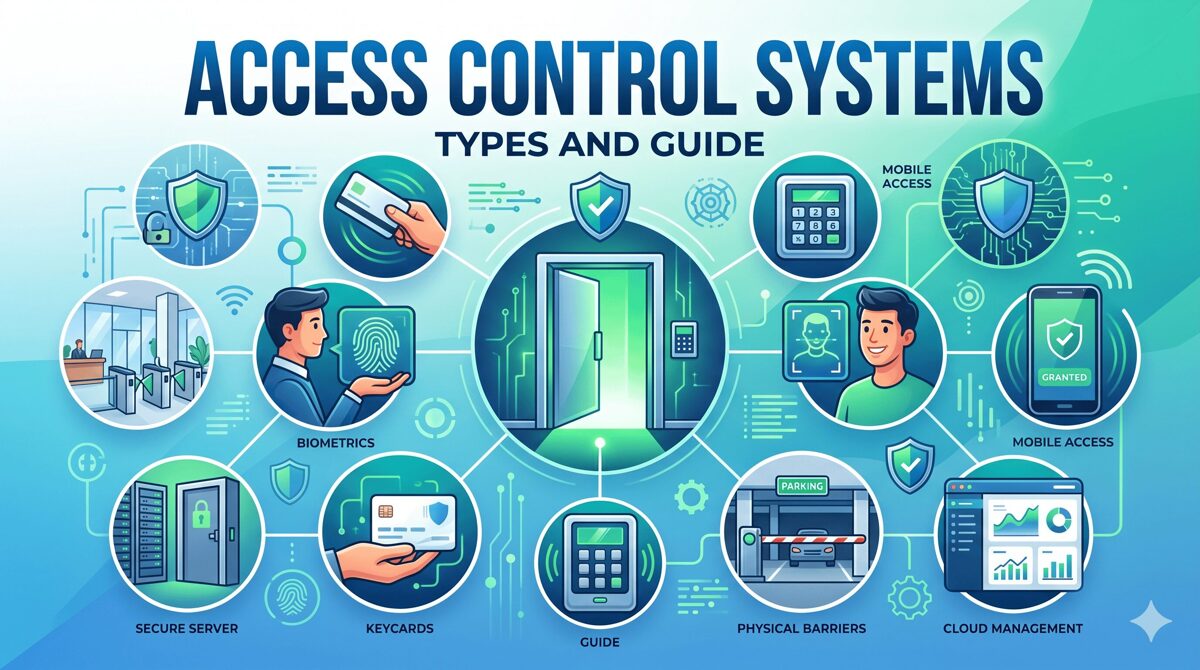
Understanding how access control systems function is essential for AV integrators, security consultants, and system designers who specify and implement physical security infrastructure in 2026. Access controls systems regulate entry to buildings, rooms, and restricted areas through electronic authentication rather than traditional mechanical keys, creating secure, auditable, and manageable environments. Knowing how access controls systems operate—from credential presentation to door unlocking to event logging—enables professionals to design effective solutions, troubleshoot issues, and optimize security performance for clients. At its core, an access control system validates user identity, checks authorization permissions, controls locking hardware, and records all events in a continuous cycle that occurs thousands of times daily across facilities.
This comprehensive guide breaks down the complete access control workflow, explaining each component’s role, the communication between system elements, and how authentication decisions happen in milliseconds. Whether you’re designing your first access control installation or optimizing enterprise deployments, understanding these fundamental processes ensures successful implementations.
Key Takeaways
✅ Access controls systems authenticate users, verify permissions, control locks, and log events in coordinated processes
✅ The complete access control cycle involves credentials, readers, controllers, locking hardware, and management software working together
✅ Modern systems process authentication in 200-500 milliseconds from credential presentation to door unlocking
✅ Controllers store local databases enabling operation during network outages or server failures
✅ Cloud-based and on-premise systems use identical door hardware but differ in management architecture
✅ AI-powered features enhance security through behavioral analytics, predictive maintenance, and automated threat detection
✅ Understanding the complete workflow enables better system design, troubleshooting, and performance optimization
What Is an Access Control System?
An access control system is an integrated electronic security solution that manages and monitors who can enter specific areas within a facility, when they can access them, and what actions they can perform. These systems replace traditional lock-and-key mechanisms with intelligent authentication, authorization, and audit capabilities.
Core System Components
Access controls systems consist of interconnected hardware and software elements:
1. Credentials
Credentials are digital identifiers proving user identity:
Proximity Cards: Basic RFID cards operating at 125 kHz for simple access Smart Cards: Advanced contactless credentials with encryption (13.56 MHz like DESFire) Mobile Credentials: Smartphone-based digital credentials using Bluetooth Low Energy or NFC Biometric Data: Fingerprint, facial recognition, iris patterns, or palm vein characteristics PIN Codes: Numeric codes entered via keypads for knowledge-based authentication
2. Readers
Readers capture credential information at entry points:
Card Readers: RFID readers detecting proximity cards or smart cards within 2-6 inches Biometric Readers: Fingerprint scanners, facial recognition cameras, iris scanners capturing biological characteristics Keypads: Numeric pads accepting PIN codes for entry Mobile Readers: Bluetooth or NFC readers communicating with smartphones Multi-Technology Readers: Supporting multiple credential types simultaneously
3. Controllers
Access control panels (controllers) are the system’s intelligence:
Processing Unit: Makes authentication decisions based on programmed rules Memory Storage: Stores user databases, access permissions, schedules, and event logs locally Communication Interface: Connects to management software via TCP/IP, RS-485, or wireless protocols I/O Ports: Controls door locks, monitors door status sensors, request-to-exit devices, and alarm inputs Offline Capability: Continues operating during network or server failures using cached data
4. Locking Hardware
Electric locks physically secure doors:
Electromagnetic Locks (Mag Locks): Powerful magnets providing 600-1,200 pounds holding force, fail-safe (unlock when power lost) Electric Strikes: Replace traditional door strikes, releasing to allow latch bolt passage, configurable fail-safe or fail-secure Electrified Mortise Locks: Complete lock mechanisms with electronic control, highest security Wireless Locks: Battery-powered locks with wireless communication, ideal for retrofit applications
5. Management Software
Access control software provides administrative interface:
User Management: Creating users, assigning credentials, defining access permissions Access Policies: Configuring role-based access, time schedules, zone restrictions Real-Time Monitoring: Viewing live access events, door status, alarm conditions Reporting: Generating audit trails, compliance reports, security analytics Integration: Connecting with video surveillance, alarm systems, building automation
System Architecture Types
Access controls systems deploy in different architectural models:
Standalone Systems: Single controller with local programming, suitable for 1-5 doors Networked Systems: Multiple controllers connected via LAN/WAN with centralized management software Cloud-Based Systems: Controllers communicating with cloud-hosted software via internet Hybrid Systems: Local controllers with offline capabilities but cloud management interface
Why Are Access Control Systems Important?
Understanding access controls systems importance helps AV integrators communicate value to clients and justify investments in sophisticated security infrastructure.
Physical Security and Asset Protection
Access controls systems create layered security perimeters:
Unauthorized Access Prevention: Only authorized personnel enter restricted areas like data centers, laboratories, executive offices, and inventory storage
Time-Based Access: Employees access facilities only during assigned shifts, preventing after-hours entry without authorization
Zone Segmentation: Different areas require different clearance levels, containing threats to specific zones
Forced Entry Detection: Door forced open and door held open alarms notify security immediately
Regulatory Compliance and Audit Requirements
Many industries mandate access control for compliance:
HIPAA (healthcare) requires protecting patient information areas PCI-DSS (payment processing) mandates physical security for cardholder data environments SOX (financial reporting) demands controls over financial systems access ITAR (defense) requires strict control of technical data and facilities
Audit trails from access controls systems document who accessed protected resources, when, and for how long—essential for compliance demonstrations.
Operational Efficiency
Access controls systems improve facility operations:
Eliminated Key Management: No physical keys to issue, track, collect, or rekey Automated Scheduling: Time-based access permissions for contractors, cleaning crews, part-time staff Remote Administration: Grant or revoke access instantly from anywhere Reduced Security Personnel: Automated monitoring reduces staffing needs
Safety and Emergency Response
Access controls systems support life safety:
Emergency Egress: Fail-safe locks unlock automatically during fire alarms ensuring safe escape Lockdown Capabilities: Secure facilities during active threats Evacuation Tracking: Identify who evacuated versus remaining inside First Responder Access: Provide emergency services controlled entry
Business Intelligence
Modern systems provide valuable data:
Occupancy Analytics: Real-time facility occupancy for space utilization Traffic Patterns: Understanding peak usage times for staffing and resource allocation Behavioral Insights: Identifying unusual patterns indicating security concerns Integration Data: Coordinating access events with video surveillance and other systems
How Access Control Systems Work: Step-by-Step Process
Understanding the complete access control workflow enables system designers to optimize performance, troubleshoot issues, and explain functionality to clients.
The Complete Access Control Cycle
Step 1: Credential Presentation
The process begins when a user approaches a secured door:
Physical Action: User presents credential to reader—tapping proximity card, holding smartphone near Bluetooth reader, or looking at facial recognition camera
Reader Activation: Reader powers on (if passive), activates scanning, and prepares to capture credential data
Data Capture: Reader extracts identifier from credential—card number from RFID chip, biometric template from fingerprint, UUID from smartphone
Time: 50-200 milliseconds depending on credential type and reader technology
Step 2: Data Transmission to Controller
Reader sends captured data to controller:
Communication Protocol: Data transmitted via Wiegand (traditional hardwired), OSDP (encrypted communication), TCP/IP (networked readers), or wireless protocols
Data Format: Includes credential identifier, reader location, timestamp, and data type (card, biometric, PIN)
Encryption: Modern systems use encrypted transmission preventing credential interception
Time: 10-50 milliseconds depending on communication method and distance
Step 3: Controller Authentication
Controller processes the authentication request:
Database Query: Controller searches local user database for matching credential identifier
User Validation: Confirms credential is active, not expired, and assigned to valid user
Permission Check: Verifies user has access permission for this specific reader/door
Schedule Verification: Confirms current time falls within user’s allowed access schedule (e.g., Monday-Friday 8am-6pm)
Zone Logic: Checks anti-passback rules, occupancy limits, or dual-authentication requirements if configured
Threat Level: Evaluates any active lockdowns or security conditions affecting access
Time: 50-150 milliseconds for database lookup and rule evaluation
Step 4: Authorization Decision
Controller makes final access decision:
Granted: All conditions satisfied—user, permission, schedule, zone rules Denied: One or more conditions failed—invalid credential, no permission, wrong time, violated rules
Communication: Controller prepares response to reader and locking hardware
Time: 5-10 milliseconds for decision processing
Step 5: Lock Control
Controller activates locking hardware if access granted:
Relay Activation: Controller energizes output relay connected to door lock
Lock Response:
-
Electromagnetic lock: Magnet releases, allowing door to open
-
Electric strike: Strike retracts, freeing door latch bolt
-
Electrified mortise: Lock mechanism disengages
Duration: Lock remains unlocked for programmed door unlock time (typically 3-10 seconds)
Re-Lock: After unlock period or door closes (REX sensor detection), lock re-secures automatically
Time: 10-50 milliseconds for relay activation, plus mechanical response time of lock (20-100 milliseconds)
Step 6: User Feedback
System provides feedback to user:
Visual Indicators: LED on reader flashes green (granted) or red (denied)
Audible Feedback: Beep patterns indicating success or failure
Display Messages: Some readers show text messages (“Access Granted,” “Invalid Card,” “Access Denied”)
Lock Sounds: Distinctive sounds from mag lock release or strike retraction confirm access
Time: Simultaneous with lock control
Step 7: Event Logging
Controller records the access event:
Event Data: Captures user identity, credential used, reader location, timestamp, granted/denied status, door open/close time
Local Storage: Saves event to controller memory (typically stores 10,000-100,000 events)
Server Upload: Transmits event to management software for permanent storage (real-time for networked systems, batch for periodic sync)
Time: 5-20 milliseconds for local logging, variable for server upload
Step 8: Physical Door Opening
User completes the process:
Door Opening: User pushes/pulls door open during unlock period
Door Sensor: Magnetic contact detects door opened, reports to controller
REX Detection: Request-to-exit sensor detects person passing through doorway
Door Close: User allows door to close, sensor detects closure, lock re-secures
Monitoring: Controller monitors door status for forced open or door held open violations
Complete Cycle Timing
Total time from credential presentation to door unlock: 200-500 milliseconds
-
Card-based access: 200-300 milliseconds (fastest)
-
Mobile credentials: 250-400 milliseconds (includes Bluetooth handshake)
-
Biometric authentication: 300-500 milliseconds (includes template matching)
-
Multi-factor authentication: 400-800 milliseconds (card + PIN, etc.)
What Happens During Network or Power Failures?
Network Outage
Access control continues normally because:
Local Database: Controllers store complete user database locally Autonomous Operation: Controllers make authentication decisions independently Event Buffering: Events stored in controller memory, uploaded when connectivity restores Limitations: Cannot modify permissions remotely until network returns
Power Failure
Backup systems maintain operation:
Controller Battery: Internal battery powers controller for 4-24 hours Lock Behavior:
-
Fail-safe locks (mag locks) unlock when power lost (life safety requirement)
-
Fail-secure locks (some strikes) remain locked during power loss UPS Systems: Uninterruptible power supplies protect complete systems in critical facilities
Cloud-Based vs On-Premise Access Control
The system architecture affects where authentication processing and data storage occur, but the door-level workflow remains largely identical.
On-Premise (Traditional) Systems
Architecture:
-
Management software runs on local servers within facility
-
Controllers communicate with servers via LAN
-
All data stored on customer-owned infrastructure
Workflow:
-
Controllers sync user databases from local servers
-
Authentication occurs at controller using cached data
-
Events upload to local servers for storage
-
Administrators access system from workstations on corporate network
Advantages: Complete data control, network isolation possible, no internet dependency Disadvantages: Requires server infrastructure, IT management, limited remote access
Cloud-Based Systems
Architecture:
-
Management software hosted on vendor cloud servers
-
Controllers communicate with cloud via internet
-
Data stored in vendor-managed infrastructure
Workflow:
-
Controllers sync user databases from cloud platform
-
Authentication occurs at controller using cached data (identical to on-premise)
-
Events upload to cloud servers immediately or during periodic sync
-
Administrators access system via web browser or mobile app from anywhere
Advantages: No local servers, remote management, automatic updates, unlimited scalability Disadvantages: Internet dependency for administration, subscription costs, vendor data control
Door-Level Process Comparison
|
Process Step |
On-Premise |
Cloud-Based |
Difference |
|
Credential Presentation |
Identical |
Identical |
None |
|
Reader to Controller |
Identical |
Identical |
None |
|
Authentication |
Local database |
Local database |
None |
|
Lock Control |
Identical |
Identical |
None |
|
Event Logging |
Local first |
Local first |
None |
|
Server Upload |
LAN to local server |
Internet to cloud |
Network path |
|
Administration |
On-site/VPN |
Web/mobile anywhere |
Access method |
|
Key Insight: The door hardware, readers, and authentication process function identically—architectural differences affect only management and administration, not real-time access control. |
Future Trends in Access Control Systems
Artificial intelligence, machine learning, and emerging technologies transform how access controls systems operate in June 2026 and beyond.
AI-Powered Authentication
Machine learning enhances access control decisions:
Behavioral Analytics
AI algorithms learn normal behavior patterns:
Pattern Recognition: Systems analyze months of access data establishing baselines—typical arrival times, frequently used doors, common pathways through facilities
Anomaly Detection: Unusual behavior triggers alerts—accessing restricted areas, entering at odd hours, rapid entries at multiple distant doors
Dynamic Risk Scoring: Each access attempt receives risk score based on multiple factors, triggering additional authentication for high-risk scenarios
Insider Threat Detection: Identifying concerning patterns suggesting malicious intent or compromised credentials
Intelligent Access Policies
AI optimizes access permissions:
Automated Provisioning: Natural language processing interprets access requests implementing appropriate permissions automatically
Context-Aware Access: Permissions adjust based on location, time, threat level, and other contextual factors
Predictive Security: Forecasting potential security incidents based on patterns and implementing preventive measures
Advanced Biometric Technologies
Next-generation biometrics improve authentication:
3D Facial Recognition: Detecting faces at walking speed without stopping, working with masks and glasses
Multi-Modal Biometrics: Combining facial recognition with gait analysis or other characteristics for enhanced accuracy
Liveness Detection: AI-powered systems preventing spoofing attempts using photos, videos, or masks
Continuous Authentication: Ongoing identity verification throughout facility presence rather than single entry-point authentication
Touchless and Frictionless Access
Convenience-focused technologies eliminate physical interaction:
Long-Range Bluetooth: Mobile credentials detected 50-300 feet away, doors unlocking automatically as users approach
Facial Recognition at Distance: Identifying users from 10-30 feet enabling walking-speed authentication
Voice Biometrics: Speaker verification for hands-free authentication integrated with intercom systems
Gesture Recognition: Hand gestures triggering access in specialized environments
Predictive Maintenance
AI algorithms prevent equipment failures:
Performance Monitoring: Analyzing reader error rates, lock operation consistency, controller communication patterns
Failure Prediction: Identifying components likely to fail 1-4 weeks before occurrence
Automated Service Requests: Generating maintenance tickets automatically when issues detected
Optimization Recommendations: Suggesting configuration improvements based on usage patterns
Integration with Smart Buildings
Access controls systems becoming central hub for building operations:
Occupancy-Based Automation: HVAC, lighting, and elevator control responding to access events
Space Utilization Analytics: Monitoring which areas are used, when, and by whom for optimization
Energy Management: Automatically adjusting building systems based on occupancy detected through access control
Workplace Experience: Personalizing environments based on user preferences detected via credential
How XTEN-AV Helps You Design Complete Access Control Systems Faster
For AV integrators and security system designers, understanding how access controls systems work enables better design—and XTEN-AV accelerates the complete process from concept to installation.
Workflow-Based Design Tools
XTEN-AV supports the complete access control workflow:
Component Selection: Choose appropriate credentials, readers, controllers, and locks based on security requirements and authentication workflow
Reader Placement: Position readers at optimal locations considering user approach paths, credential type, and read range
Controller Configuration: Define which readers connect to which controllers, calculate input/output requirements
Network Design: Plan communication paths from readers to controllers to servers or cloud
Wiring Automation: Calculate cable runs, voltage drop, and generate wire schedules automatically
Timing and Performance Analysis
Optimize system responsiveness:
Latency Calculation: Estimate authentication timing based on credential type, communication method, and controller performance
Bandwidth Analysis: Ensure network capacity handles event traffic from all controllers
Load Balancing: Distribute doors across controllers preventing bottlenecks
Failover Planning: Design redundant paths ensuring continued operation during component failures
Integration Workflow Design
Plan coordinated system operations:
Video Surveillance: Map access events to camera triggers for event-based recording
Alarm Systems: Coordinate access zones with intrusion detection areas
Building Automation: Define occupancy-based control rules for HVAC and lighting
Visitor Management: Integrate temporary credential issuance with access control
Documentation for Operations
Generate materials explaining system workflow:
Process Diagrams: Visual flowcharts showing authentication process step-by-step
Troubleshooting Guides: Decision trees for diagnosing access failures at each process step
User Training: Documentation explaining how to present credentials and interpret feedback
Administrator Guides: Procedures for managing users, configuring permissions, reviewing audit logs
Testing and Commissioning Plans
Verify complete workflow functionality:
Test Sequences: Systematic testing of each authentication step—credential read, controller processing, lock activation, event logging
Timing Verification: Measure actual authentication speed confirming performance requirements
Failure Scenarios: Test behavior during network outages, power failures, invalid credentials
Integration Testing: Verify coordinated operation with video, alarms, and other systems
By understanding the complete access control workflow and using purpose-built design tools, AV integrators deliver optimized systems that perform reliably and meet client expectations.

Frequently Asked Questions
How fast should access control authentication happen?
Well-designed access controls systems complete the entire authentication cycle from credential presentation to door unlock within 200-500 milliseconds. Card-based access typically achieves 200-300 milliseconds, mobile credentials require 250-400 milliseconds including Bluetooth handshake, and biometric authentication takes 300-500 milliseconds for template matching and verification. Multi-factor authentication combining credential types extends timing to 400-800 milliseconds. Users perceive systems as “instant” when authentication completes under 500 milliseconds, while delays exceeding 1 second create noticeable frustration. Factors affecting speed include reader technology (contactless faster than insert), controller processing power, communication protocols (Wiegand fastest, encrypted OSDP slightly slower), network latency for cloud systems, and database size (larger databases require longer searches). System designers should specify performance requirements and test actual timing during commissioning.
What happens if the access control controller loses power?
When controllers lose power, behavior depends on backup systems and lock configuration. Modern controllers include internal batteries providing 4-24 hours of continued operation during outages, maintaining normal authentication and access control functionality. However, locking hardware behaves according to fail-safe or fail-secure configuration: electromagnetic locks (mag locks) always fail-safe, unlocking immediately when power lost to ensure life safety and fire code compliance; electric strikes can be configured fail-safe (unlock during power loss) or fail-secure (remain locked), depending on security versus safety priorities. Critical facilities deploy UPS systems providing clean power during outages and time for graceful shutdown or generator activation. Best practice includes testing backup power quarterly, maintaining batteries according to manufacturer specifications, and configuring locks appropriately for each door’s security level and life safety requirements. High-security areas may use fail-secure locks with battery backup ensuring continued security during outages.
Can someone unlock doors if they hack the access control network?
Network security for access controls systems requires multiple protective layers. While theoretical vulnerabilities exist, properly configured systems resist attacks through several mechanisms: encrypted communication between controllers and servers prevents credential interception; authentication requirements for administrative access prevent unauthorized configuration changes; network segmentation isolates access control networks from general corporate networks reducing attack surfaces; local authentication at controllers means network access alone doesn’t grant physical entry—attackers would need valid credentials not just network access; and audit logging records all system access and configuration changes enabling detection of unauthorized activity. Best practices include implementing VLANs dedicated to physical security systems, requiring multi-factor authentication for administrative access, using VPN for remote management, keeping firmware updated with security patches, and conducting regular security audits. Cloud-based systems benefit from professional security teams monitoring infrastructure continuously. While no system is perfectly secure, access controls systems from reputable manufacturers incorporate substantial security features when properly implemented.
How do access control systems handle visitors and temporary access?
Access controls systems support temporary access through several mechanisms integrated with visitor management. Traditional approaches issue temporary proximity cards or key fobs valid for specific timeframes (hours or days), which visitors return upon departure. Modern systems increasingly use mobile credentials sent via email or SMS, where visitors receive digital credentials on smartphones that automatically expire after visit completion. PIN codes assigned temporarily provide keypad-based access without physical credentials. Advanced implementations integrate dedicated visitor management systems that pre-register guests, perform background checks if required, capture photos, print badges, and automatically provision temporary access permissions for designated areas and timeframes. The access control workflow for visitors mirrors employee access—presenting credential, reader capture, controller authentication, permission verification—but with additional restrictions including time limits (credential expires automatically), area restrictions (access only to meeting rooms, not secure areas), escort requirements (some implementations require employee presence), and automated revocation (credentials deactivate immediately when visitor checks out). This provides security without operational burden of manually managing temporary access.
What’s the difference between access granted and door forced open events?
Access controls systems distinguish between authorized and unauthorized door openings through event types captured during monitoring. An access granted event occurs when: user presents valid credential, controller authenticates and authorizes access, controller unlocks door for programmed duration (typically 3-10 seconds), user opens door during unlock period, door sensor detects opening, and controller logs legitimate entry event. A door forced open event (also called forced entry) occurs when: door opens without valid credential presentation, door sensor detects opening while door should be secured, controller immediately triggers alarm condition, and security team receives alert for investigation. This indicates potential security breach—unauthorized entry, door propped open, or hardware malfunction. Additional related events include door held open (door remains open beyond acceptable time after authorized access, suggesting someone prevented door from closing) and REX activated (person exited through request-to-exit device without using credential for entry, which may indicate tailgating). Understanding these distinctions helps security teams respond appropriately—access granted events are normal operations, while forced open events demand immediate investigation.
How do biometric access control systems work differently than card systems?
Biometric access control follows the same fundamental workflow as card-based systems but with critical differences in credential capture and authentication. The process includes: enrollment phase where users register biometric characteristics (fingerprint, facial features, iris patterns) converted into mathematical biometric templates stored in system database; authentication phase where users present biometric to reader (place finger on scanner, look at camera), reader captures biometric and creates template from presented sample, controller compares captured template against enrolled templates using matching algorithms, and system calculates match score determining if presented biometric sufficiently matches enrolled template (typically 95%+ threshold). Key differences from card systems include: credential cannot be lost, stolen, or shared (inherent to person); false acceptance and false rejection rates require balancing (stricter matching reduces false acceptance but increases false rejection); environmental factors affect performance (dirty fingers, lighting conditions, aging); privacy concerns require careful data handling (some jurisdictions regulate biometric data); and processing time slightly longer due to template matching complexity (300-500 milliseconds versus 200-300 for cards). Modern biometric readers incorporate liveness detection preventing spoofing with photographs or fake fingers, enhancing security beyond traditional card systems.
Do cloud-based access control systems authenticate slower than on-premise systems?
Authentication speed for cloud-based access control matches on-premise systems during normal operations because authentication processing occurs locally at controllers for both architectures. The workflow comparison shows: both cloud and on-premise controllers cache complete user databases locally; both perform credential validation, permission checks, and schedule verification using local data without server communication; both unlock doors in identical timeframes (200-500 milliseconds); and both store events locally before uploading to servers/cloud. The only timing difference occurs during database synchronization—when administrators add new users or modify permissions, cloud systems may take slightly longer (seconds to minutes) to propagate changes to controllers versus immediate synchronization on local networks. However, this synchronization delay doesn’t affect authentication speed for existing users. The misconception about cloud slowness stems from confusing administrative tasks (performed remotely via internet) with real-time authentication (performed locally). Both architectures provide equivalent door-level performance. Cloud systems may actually perform better during server failures because cloud vendors maintain redundant infrastructure, while on-premise servers require customer-implemented redundancy for similar reliability.
Conclusion
Understanding how access controls systems work—from the millisecond-level authentication process to the interaction between credentials, readers, controllers, locks, and management software—empowers AV integrators, security consultants, and system designers to deliver optimized solutions that perform reliably and meet client expectations. The complete access control workflow demonstrates sophisticated coordination between multiple system elements occurring thousands of times daily across facilities, typically within 200-500 milliseconds from credential presentation to door unlock.
The fundamental process remains consistent regardless of system architecture: users present credentials to readers, which transmit data to controllers that authenticate against local databases, verify permissions and schedules, control locking hardware, provide user feedback, and log events for audit purposes. Whether deploying cloud-based or on-premise systems, this door-level workflow operates identically—architectural differences affect only management and administration approaches, not real-time access control performance.
As artificial intelligence, biometric technologies, and smart building integration continue advancing in June 2026 and beyond, access controls systems evolve from simple entry management to sophisticated platforms providing behavioral analytics, predictive security, automated responses, and comprehensive building intelligence. Understanding these fundamentals enables designing systems that leverage emerging capabilities while maintaining the reliable, secure, auditable access control that protects people, assets, and information.
For professionals designing and implementing these systems, tools like XTEN-AV accelerate the complete process—from component selection through workflow optimization to documentation generation—enabling efficient delivery of sophisticated access control solutions. By combining deep understanding of system operation with purpose-built design tools, AV integrators deliver superior outcomes that enhance security, improve operations, and provide long-term value for clients across diverse facility types and security requirements.
Take Action: Apply this workflow knowledge to your next access control design, optimize component selection based on performance requirements, verify timing during commissioning, and educate clients about system operation ensuring they understand and maximize their security investment.
PakarPBN
A Private Blog Network (PBN) is a collection of websites that are controlled by a single individual or organization and used primarily to build backlinks to a “money site” in order to influence its ranking in search engines such as Google. The core idea behind a PBN is based on the importance of backlinks in Google’s ranking algorithm. Since Google views backlinks as signals of authority and trust, some website owners attempt to artificially create these signals through a controlled network of sites.
In a typical PBN setup, the owner acquires expired or aged domains that already have existing authority, backlinks, and history. These domains are rebuilt with new content and hosted separately, often using different IP addresses, hosting providers, themes, and ownership details to make them appear unrelated. Within the content published on these sites, links are strategically placed that point to the main website the owner wants to rank higher. By doing this, the owner attempts to pass link equity (also known as “link juice”) from the PBN sites to the target website.
The purpose of a PBN is to give the impression that the target website is naturally earning links from multiple independent sources. If done effectively, this can temporarily improve keyword rankings, increase organic visibility, and drive more traffic from search results.