
May 27, 2026 at 2:32 pm,
No comments
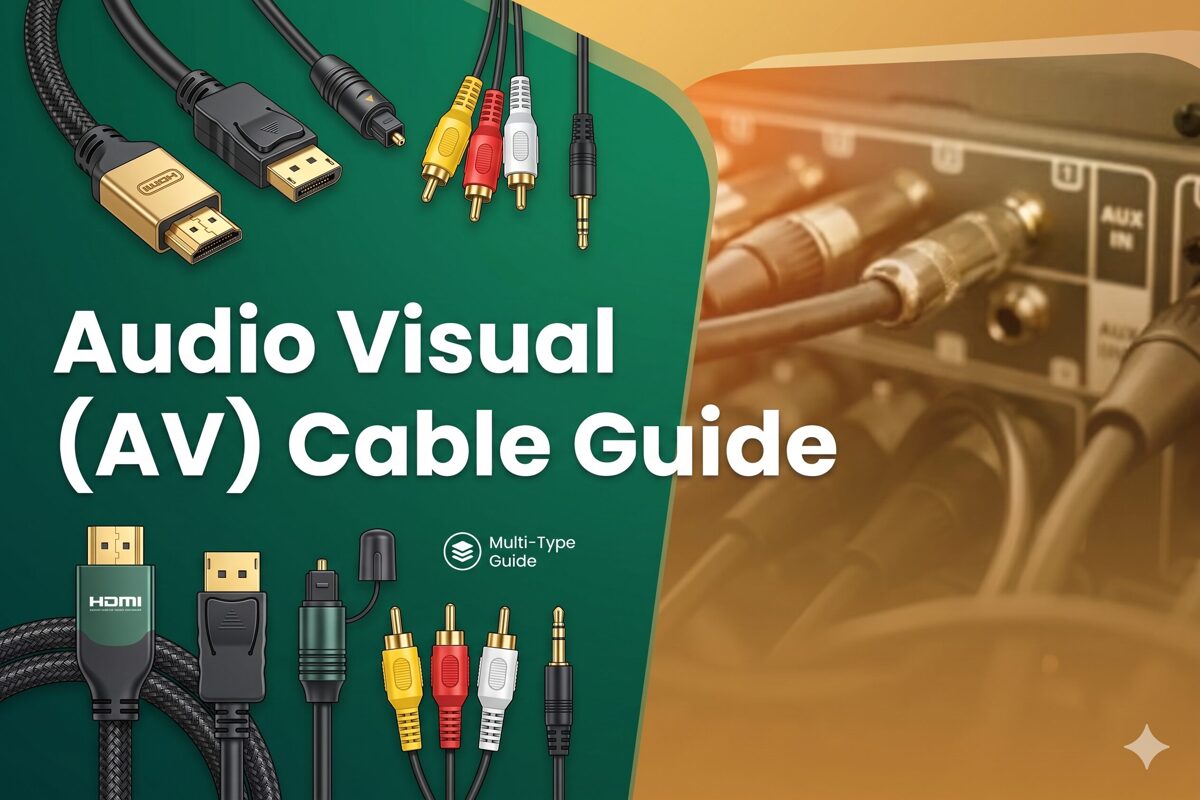
In today’s hybrid work environment of 2026, conference room technology demands flawless video conferencing, wireless presentation, and multi-display collaboration. At the heart of every successful meeting space installation lies the strategic selection of the right Audio Visual (AV) Cable infrastructure. Whether designing an executive boardroom, huddle space, or large training facility, choosing the best Audio Visual (AV) Cable directly impacts signal reliability, user experience, system scalability, and total cost of ownership over the room’s lifecycle.
The best AV cables for conference rooms in 2026 are HDMI 2.1 for universal device compatibility, USB-C for unified connectivity and laptop integration, HDBaseT over Cat6a for distances exceeding 15 meters, and AV-over-IP for enterprise-scale deployments requiring maximum flexibility. The optimal solution depends on room size, display resolution, source device types, cable distance requirements, and control system integration needs.
This comprehensive guide provides AV integrators and system designers with practical recommendations for cable selection, installation best practices, and troubleshooting strategies specific to corporate meeting environments. Understanding the technical requirements, user workflows, and future technology trends ensures conference room AV systems deliver exceptional meeting experiences while accommodating evolving collaboration needs.
Key Takeaways
-
HDMI 2.1 cables remain the gold standard for conference room connectivity, supporting 4K@60Hz with universal device compatibility and distances up to 15 meters
-
USB-C with DisplayPort Alt Mode represents the future of meeting spaces, providing single-cable connectivity for video, data, and laptop charging
-
HDBaseT technology excels for table-to-display distances exceeding 15 meters, transmitting 4K video, audio, control signals, and power over Cat6a cabling
-
Conference room cable selection must prioritize user experience, device compatibility, and reliable plug-and-play operation for non-technical meeting participants
-
Proper cable management including in-table connectivity boxes, floor boxes, and organized routing reduces troubleshooting time by 70-80%
-
4K resolution is now baseline requirement for professional meeting spaces, with 8K support becoming relevant for large format displays and executive boardrooms
-
AV-over-IP solutions offer unmatched scalability for enterprise environments with 50+ conference rooms, enabling centralized management and flexible routing
-
AI-powered conference systems leverage automated camera switching, intelligent audio processing, and predictive maintenance across all cable platforms
-
Cable testing and certification during installation prevents 90% of common meeting room AV failures and ensures warranty compliance
-
Future-proof planning requires oversized conduit, additional cable pulls, and modular patch panel designs enabling technology upgrades without renovation
What Are AV Cables?
Audio Visual (AV) Cables are specialized transmission media designed to transport video signals, audio channels, control data, and in some configurations, electrical power between conference room equipment including laptops, video conferencing systems, displays, projectors, and control processors. In meeting space applications, these cables must deliver reliable performance while remaining invisible to end users who expect seamless connectivity without technical expertise.
Key Characteristics of Conference Room AV Cables
Professional-Grade Construction
-
Enhanced shielding: Protects against electromagnetic interference from power cables and fluorescent lighting
-
Commercial-rated jackets: Plenum (CMP) or riser (CMR) fire ratings meeting building codes
-
Reinforced connectors: Gold-plated contacts and strain relief for frequent connections/disconnections
-
Certified performance: Manufacturer testing ensures specification compliance and warranty support
Meeting Room-Specific Requirements
-
Flexible routing: Cables traverse under floors, through ceilings, inside furniture, and across conference tables
-
Aesthetic integration: Hidden installations maintain professional appearance of executive spaces
-
Hot-plug capability: Support frequent connects/disconnects without signal disruption or device damage
-
Universal compatibility: Work with diverse user devices from multiple manufacturers and operating systems
Why Choosing the Right AV Cable Matters
Impact on Meeting Productivity
Failed meetings due to AV connectivity issues cost organizations an estimated $37 billion annually in lost productivity according to 2025 workplace studies. The Audio Visual (AV) Cable infrastructure directly influences:
User Adoption Rates
-
Reliable connectivity: 90% first-time success rate drives technology adoption
-
Simple operation: Plug-and-play functionality encourages system usage
-
Reduced IT calls: Fewer support requests free IT staff for strategic initiatives
Meeting Efficiency
-
Quick start times: Proper cables enable meeting start within 60 seconds of room entry
-
Zero interruptions: Quality infrastructure eliminates signal dropouts during critical presentations
-
Seamless transitions: Multiple presenters switch sources without technical delays
Long-Term Cost Implications
Initial Cable Investment ($500-2,000 per room)
-
Standard conference room: $800 (HDMI, USB-C, audio cables)
-
Executive boardroom: $1,500-2,000 (multiple inputs, long-distance solutions, premium materials)
-
Huddle space: $500-800 (simplified connectivity, wireless augmentation)
Lifecycle Costs Over 10 Years
-
Quality installation: $500 upfront saves $5,000-10,000 in troubleshooting, repairs, replacements
-
Poor installation: Generates 15-20 support calls annually at $200-300 per incident
-
Technology refresh: Modular designs reduce upgrade costs by 60-70% vs. fixed installations
Types of AV Cables Used in Conference Rooms
HDMI Cables (Primary Standard)
HDMI dominates conference room installations due to universal laptop compatibility and commercial display ubiquity. In 2026, HDMI 2.1 is the recommended minimum specification.
HDMI 2.1 Specifications:
-
Bandwidth: 48 Gbps supporting 8K@60Hz or 4K@120Hz
-
Enhanced features: Dynamic HDR, eARC for advanced audio, Variable Refresh Rate
-
Cable length: 5-7 meters passive, 15-30 meters active, 100+ meters via HDBaseT
Conference Room Applications:
-
Table-mounted connectivity boxes: HDMI inputs for laptop connections
-
Wall-plate installations: HDMI pass-through to ceiling-mounted displays
-
Projector connections: HDMI to ceiling or rear-wall projectors
USB-C Cables with DisplayPort Alt Mode
USB-C connectivity represents the future of conference rooms, providing unified connections for modern laptops while charging devices during meetings.
USB-C Capabilities:
-
DisplayPort Alt Mode: Transmits 4K@60Hz video over USB-C cable
-
Power Delivery: Up to 100W charging for laptops (240W in USB PD 3.1)
-
Data transfer: USB 3.2 or USB4 for peripheral connectivity
Implementation Strategies:
-
USB-C table boxes: Replace multiple legacy inputs with single-cable solution
-
Docking solutions: Under-table docks provide complete connectivity via USB-C
-
Hybrid approach: USB-C plus HDMI accommodates all device types
DisplayPort Cables
DisplayPort appears in conference rooms primarily for workstation-to-display connections or daisy-chaining multiple monitors in control room environments.
Advantages:
-
Locking connectors: Prevent accidental disconnections
-
MST (Multi-Stream Transport): Daisy-chain multiple displays from single source
-
High refresh rates: Beneficial for specialized applications
Conference Room Limitations:
HDBaseT Cables (Cat6a/Cat7)
HDBaseT technology solves the long-distance challenge in larger conference rooms where table-to-display distances exceed passive HDMI limitations.
HDBaseT Benefits:
-
100-meter transmission: 4K video over single Cat6a cable
-
Converged signals: Video, audio, Ethernet, control, power (PoE)
-
Cost-effective: Category cabling less expensive than long-run fiber
-
Existing infrastructure: Leverages structured cabling in retrofit scenarios
Typical Deployment:
-
Table box transmitter: User connects HDMI to transmitter
-
Cat6a cable: Runs through floor/ceiling to display location
-
Display receiver: Converts back to HDMI for projector/display
Coaxial and Audio Cables
Professional audio cables remain essential for high-quality sound reinforcement in larger meeting spaces.
XLR Cables:
-
Balanced audio: Microphone and line-level connections
-
Noise rejection: Superior performance in electrically noisy environments
-
Professional conferencing: Ceiling microphones and external DSP systems
Speaker Cables:
Best AV Cables by Meeting Space Type
Small Huddle Spaces (4-6 People)
Cable Requirements:
-
Single HDMI 2.1 cable: 3-5 meters from table to display
-
USB-C option: For bring-your-own-device (BYOD) flexibility
-
Simple USB connection: For USB video conferencing camera
Recommended Configuration:
-
Tabletop connectivity: HDMI and USB-C cables at table center
-
Display connection: Passive HDMI sufficient for short distances
-
Audio: HDMI embedded audio or USB camera microphone
Cost: $500-800 per room
Standard Conference Rooms (8-12 People)
Cable Requirements:
-
Multiple HDMI inputs: 2-3 table positions for presenter flexibility
-
HDBaseT: For distances over 15 meters to display/projector
-
USB extenders: Video conferencing camera at display location
-
Control cabling: Cat6 for touch panel and IP-controlled devices
Recommended Configuration:
-
In-table connectivity box: HDMI, USB-C, audio inputs
-
HDBaseT transmitter: Converts to Cat6a for long-distance run
-
Ceiling microphones: Dante or analog audio over Cat6/XLR
-
Under-table cable management: Cable retractors for user convenience
Cost: $1,200-1,800 per room
Executive Boardrooms (12-20 People)
Cable Requirements:
-
Distributed HDMI inputs: 4-6 connection points around large table
-
Dual-display support: Separate feeds for presentation and video conferencing
-
Premium audio: Professional DSP, wireless microphones, ceiling speakers
-
Redundant connections: Backup cables for mission-critical meetings
Recommended Configuration:
-
Multiple table boxes: Every 4-6 seats for presenter access
-
HDMI matrix switcher: Flexible routing to multiple displays
-
Fiber optic backbone: For very long distances or EMI immunity
-
Professional control system: Crestron or Extron with IP and serial control
Cost: $3,000-6,000 per room
Large Training Rooms (20+ People)
Cable Requirements:
-
Front-of-room connectivity: Instructor station with full AV capability
-
Student presentation inputs: HDMI at select tables for collaboration
-
Large-format displays: Multiple screens or projection system
-
Audio reinforcement: Ceiling speakers throughout space
Recommended Configuration:
-
Lectern AV: HDMI, USB-C, document camera, laptop connections
-
AV-over-IP distribution: For multiple display zones in large spaces
-
Wireless presentation: Supplement wired connections with Barco ClickShare or similar
-
Dante audio network: Scalable audio for microphones and speakers
Cost: $5,000-12,000 per room
HDMI vs DisplayPort vs USB-C vs SDI
Conference Room Comparison
|
Feature |
HDMI 2.1 |
USB-C (DP Alt) |
DisplayPort 1.4 |
SDI |
|
Laptop Compatibility |
Excellent (90%+) |
Excellent (new laptops) |
Good (workstations) |
None |
|
Plug-and-Play |
Yes |
Yes |
Yes |
No |
|
Max Distance (Passive) |
5-7 meters |
1-2 meters |
2-3 meters |
100+ meters |
|
4K@60Hz Support |
Yes |
Yes |
Yes |
Yes (12G-SDI) |
|
Power Delivery |
No |
Yes (up to 100W) |
No |
No |
|
Typical Cable Cost |
$10-30 |
$25-60 |
$15-40 |
$50-150 |
|
Conference Room Use |
Primary standard |
Emerging standard |
Secondary option |
Rare |
Selection Recommendations
Choose HDMI When: ✅ Universal compatibility is priority ✅ Budget favors cost-effective solutions ✅ Legacy device support required ✅ Proven reliability essential for executive spaces
Choose USB-C When: ✅ Modern laptop fleet predominantly USB-C equipped ✅ Single-cable solution desired for user convenience ✅ Laptop charging during meetings valued ✅ Future-proofing for next 5 years prioritized
Choose DisplayPort When: ✅ Workstation-based presentations predominate ✅ Multi-display daisy-chaining needed ✅ High refresh rates beneficial for specific applications
Avoid SDI Unless: ✅ Broadcast production workflows exist ✅ Live event capability required ✅ Professional video equipment mandates SDI
Best AV Cables for 4K and 8K Conference Rooms
4K@60Hz Requirements (Current Standard)
Cable Specifications:
-
HDMI 2.0 minimum: 18 Gbps bandwidth
-
Cat6a for HDBaseT: Certified Class EA performance
-
DisplayPort 1.4: 32.4 Gbps bandwidth
Practical Considerations:
-
HDMI cable quality: Use Certified Premium HDMI cables only
-
Distance planning: Factor 15% contingency for cable routing
-
Testing protocol: Verify 4K@60Hz 4:4:4 at full cable length
8K Conference Room Applications
While 8K displays remain rare in corporate environments as of May 2026, forward-thinking installations consider 8K readiness for:
Large Format Displays:
-
110+ inch displays: 8K resolution becomes perceivable
-
Video walls: Combined panels benefit from higher source resolution
-
Executive showrooms: Impressive visual impact for client-facing spaces
8K Cable Requirements:
-
HDMI 2.1: 48 Gbps supporting 8K@60Hz
-
DisplayPort 2.0: 80 Gbps for extreme resolutions
-
Active cables: Most 8K applications require active electronics beyond 3-5 meters
Practical Recommendation: Specify HDMI 2.1 or DisplayPort 2.0 infrastructure in 2026 installations to support potential 8K upgrades within system lifecycle (typically 7-10 years).
AV Over IP Cabling Explained
What Is AV-over-IP?
AV-over-IP technology transmits audio and video signals over standard Ethernet networks rather than dedicated point-to-point cables. For enterprise organizations with multiple conference rooms, this approach offers unprecedented flexibility and scalability.
Network Infrastructure Requirements
Minimum Specifications:
-
10 Gigabit Ethernet switches: For 4K video distribution
-
Managed switches: With IGMP snooping, multicast support, QoS
-
Cat6a cabling: Structured cabling to every conference room
-
Dedicated AV VLAN: Separation from corporate data traffic
Conference Room Implementation
Encoder at Table:
-
HDMI input: User connects laptop to encoder
-
Network output: Encoder sends compressed video to switch
-
Control integration: IP-based configuration and monitoring
Decoder at Display:
-
Network input: Receives video stream from any conference room
-
HDMI output: Connects to display or projector
-
Local processing: Decodes video with minimal latency (typically <50ms)
Advantages for Enterprise
Flexible Routing:
-
Any source to any display: Via software control
-
Multi-room presentations: Broadcast content to multiple spaces
-
Remote monitoring: IT staff view room status from central location
Scalability:
Cost Considerations:
-
Higher upfront: Encoders/decoders cost $800-2,000 each
-
Lower cable costs: Leverages existing network infrastructure
-
Break-even point: Typically 20-30 conference rooms
Common AV Cable Problems in Meeting Rooms
Problem 1: HDMI Handshake Failures
Symptoms:
-
Blank screens when laptop connected
-
No signal messages on displays
-
Works with some devices but not others
Root Causes:
-
HDCP compatibility issues between laptop and display
-
Poor quality cables failing signal integrity
-
Cable length exceeding passive limitations
Solutions:
-
Use Certified Premium HDMI cables
-
Add HDMI repeater or extender with EDID management
-
Power cycle source and display to reset handshake
-
Consider HDBaseT for problematic installations
Problem 2: Intermittent USB-C Connectivity
Symptoms:
-
Video works sometimes but not consistently
-
Laptop charging but no video output
-
Different results with different laptop models
Root Causes:
-
USB-C cable doesn’t support DisplayPort Alt Mode
-
Insufficient power delivery for video transmission
-
Laptop USB-C port limited to USB 2.0 (no video capability)
Solutions:
-
Specify USB-C cables with verified DP Alt Mode support
-
Use USB-C docking stations with separate power input
-
Provide HDMI as fallback option for older laptops
-
Label cable functionality clearly for end users
Problem 3: Poor Cable Management
Symptoms:
-
Tangled cables on conference tables
-
Visible cable runs disrupting room aesthetics
-
Damaged cables from chair wheels or foot traffic
Root Causes:
-
Inadequate planning during installation
-
No cable retractors or management systems
-
Insufficient cable length creating tension
Solutions:
-
Install motorized cable retractors in table boxes
-
Use floor boxes with protective covers for underfloor routing
-
Provide 25% extra length at connection points for service loops
-
Implement under-table cable trays for organized routing
Problem 4: HDBaseT Distance Limitations
Symptoms:
-
Signal drops at distances approaching 100 meters
-
Intermittent connectivity or sparkles
-
4K@60Hz works at short distances but fails at long runs
Root Causes:
-
Non-certified Cat6a cable with inadequate performance
-
Excessive alien crosstalk in high-density cable bundles
-
Poor termination quality at connectors
Solutions:
-
Use only HDBaseT-certified Cat6a cables
-
Maintain separation from power cables and fluorescent lighting
-
Test cable runs with Fluke DSX before equipment connection
-
Consider fiber optic alternatives for marginal installations
How AV Design Software Helps Plan Conference Room Cabling
Modern Design Tools
AV-Specific CAD Software:
-
D-Tools System Integrator: Industry-standard for AV design and documentation
-
Xten AV: Cloud-based design with real-time collaboration
-
AutoCAD with AV blocks: Custom symbol libraries for AV equipment
Key Planning Features
Cable Distance Calculation:
-
Automatic measurement: Software calculates actual cable lengths from equipment placement
-
Vertical rise accounting: Factors floor-to-ceiling and ceiling plenum routing
-
Contingency addition: Applies 15-20% overage for service loops and routing inefficiency
Bill of Materials Generation:
-
Automatic cable lists: Based on equipment connections and distances
-
Connector specifications: Identifies required terminations and adapters
-
Cost estimation: Real-time pricing from distributor databases
Cable Route Visualization:
-
3D modeling: Shows cable pathways through conduit and cable trays
-
Conflict detection: Identifies clashes with structural elements or other trades
-
Installation sequencing: Optimizes pull order for efficient installation
AI-Enhanced Planning
Intelligent Cable Selection:
Predictive Troubleshooting:
-
Machine learning models identify potential failure points before installation
-
Risk scoring for marginal cable lengths or challenging routing
-
Alternative recommendations when primary design presents reliability concerns
Automated Documentation:
-
As-built generation: AI processes installation photos into CAD drawings
-
Label generation: Automatic cable naming following project standards
-
Test result integration: Cable certification data linked to specific cable IDs
Frequently Asked Questions
Q: What is the best all-around AV cable for a standard corporate conference room in 2026?
A: HDMI 2.1 cables remain the best general-purpose choice for most corporate conference rooms due to universal laptop compatibility, proven reliability, and support for 4K@60Hz resolution that meets current and near-term requirements. For table-to-display connections under 15 meters, specify Certified Premium HDMI cables from reputable manufacturers like Kramer, Extron, or Crestron. For longer distances, deploy HDBaseT transmitters at the conference table with Cat6a cable runs to display locations. Additionally, include at least one USB-C input with DisplayPort Alt Mode and Power Delivery to accommodate the growing percentage of modern laptops using USB-C as their primary video output. This hybrid approach (HDMI + USB-C) ensures maximum device compatibility while positioning the room for technology evolution over its typical 7-10 year lifecycle.
Q: How do I choose between HDMI and HDBaseT for my conference room installation?
A: The decision depends primarily on cable distance between user connection points and displays/projectors: Choose direct HDMI when distances are under 10 meters, as passive HDMI 2.1 cables provide reliable 4K@60Hz performance at lower cost ($10-30 per cable) with no additional electronics required. Select HDBaseT when distances exceed 15 meters or when you need to route cables through complex pathways where Cat6a structured cabling is more practical than thick HDMI cables. HDBaseT also excels when you require converged transmission of video, audio, control signals, Ethernet, and power (PoE) over single cable, reducing cable management complexity. The trade-off is higher cost ($400-1,200 for transmitter/receiver pairs) and additional points of failure from the active electronics. For budget-conscious projects with straightforward cable routing, extend HDMI to 15 meters using active HDMI cables ($50-150) as a middle-ground solution before committing to HDBaseT infrastructure.
Q: Should I install USB-C cables in all my conference rooms, or wait until more laptops support it?
A: In May 2026, USB-C adoption has reached critical mass with approximately 75% of business laptops shipping with USB-C video output capability. We recommend installing USB-C connectivity in at least one position in every conference room as primary input, while maintaining HDMI as backup for legacy devices and specific laptop models lacking USB-C video support. The strategic value of USB-C extends beyond current device support: single-cable connectivity delivering video, data, and laptop charging significantly improves user experience and meeting start efficiency, reducing average connection time from 90-120 seconds (multiple cables) to under 30 seconds (single cable). For new installations, specify USB-C cables with USB 3.2 Gen 2 (10 Gbps), DisplayPort 1.4 Alt Mode (4K@60Hz), and USB Power Delivery 3.0 (100W minimum) to ensure comprehensive functionality and 5+ year relevance. The incremental cost ($25-60 per USB-C cable vs. $10-30 per HDMI) is modest compared to productivity gains and enhanced user satisfaction.
Q: What cable testing should be performed during conference room installation?
A: Implement a three-stage testing protocol: Stage 1 – Pre-Installation: Test cable reels upon delivery using portable HDMI testers or cable certification equipment to identify manufacturing defects before installation labor. Stage 2 – Rough-In Testing: After cable pulling but before wall closure, test continuity and proper pin assignments on all HDMI, USB-C, and Category cables using appropriate testers (Fluke LinkIQ for Cat6a, Murideo Fresco for HDMI). For HDBaseT installations, perform full certification per TIA-568 standards documenting insertion loss, return loss, and alien crosstalk on every Cat6a run. Stage 3 – System Commissioning: Test complete signal chain with actual equipment at full resolution (4K@60Hz) and maximum cable length, verifying EDID negotiation, audio embedding, video quality, and connection reliability through multiple connection/disconnection cycles. Document test results with serial numbers, pass/fail status, and photographic evidence for warranty compliance and future troubleshooting reference. This comprehensive testing adds 5-8% to installation costs but prevents 90% of post-installation service calls, providing substantial ROI over the system lifecycle.
Q: How does AV-over-IP compare to traditional cabling for conference room installations?
A: AV-over-IP offers compelling advantages for enterprise organizations with 20+ conference rooms but represents overkill for small deployments: Advantages include ultimate flexibility routing any source to any display via software control, easy scalability adding rooms without infrastructure changes, centralized management monitoring all rooms from IT department, and future-proof architecture accommodating new technologies through software updates. Disadvantages include higher upfront costs ($800-2,000 per encoder/decoder plus managed network switches), IT expertise required for network configuration and troubleshooting, potential latency (typically 30-50ms) unacceptable for live performance applications, and network dependency creating single point of failure if switch or network fails. Traditional point-to-point cabling (HDMI/HDBaseT) costs less for individual rooms ($500-1,500 per room), provides zero latency, operates independently without network infrastructure, but lacks routing flexibility and becomes exponentially expensive when scaling to enterprise-level deployments. Recommendation: Use traditional cabling for 1-15 conference rooms in single building, transition to AV-over-IP for 20+ rooms, especially when rooms span multiple floors or buildings requiring flexible resource sharing.
Q: What are the most common cable-related failures in conference rooms, and how can I prevent them?
A: The top five cable failures in conference rooms are: 1) HDMI handshake issues (40% of failures) caused by HDCP compatibility problems, low-quality cables, or excessive distance – prevent by specifying Certified Premium HDMI cables, keeping passive runs under 10 meters, and using HDMI extenders with EDID management for longer distances; 2) Physical damage (25%) from chair wheels, foot traffic, or improper cable management – prevent with under-floor cable routing, protective floor boxes, and motorized cable retractors keeping cables off conference tables when not in use; 3) USB-C incompatibility (20%) when cables lack DisplayPort Alt Mode support or laptops have USB 2.0-only ports – prevent by specifying verified DP Alt Mode cables, providing HDMI backup, and clearly labeling cable capabilities; 4) Connector wear (10%) from frequent connections/disconnections in high-use conference rooms – prevent using commercial-grade connectors with gold plating, installing wall-plate HDMI inputs reducing cable handling, and replacing high-wear cables every 3-5 years as preventive maintenance; 5) Distance-related signal degradation (5%) when passive cables exceed specifications – prevent by measuring actual cable paths (not straight-line distance), adding 15% contingency, and using active electronics when approaching limits. Implementing these preventive strategies reduces conference room AV failures by 70-85%.
Q: How can I future-proof my conference room cabling for technologies I don’t yet know about?
A: Future-proofing strategies balance current functionality with infrastructure flexibility: 1) Install oversized conduit (minimum 1.5-inch for single cable, 2-inch for multiple cables) maintaining 40% fill maximum enabling cable replacement without demolition during building lifecycle (typically 30-50 years for commercial spaces); 2) Spec current-generation cables at minimum (HDMI 2.1, USB 3.2/USB4, Cat6a) providing 5+ year relevance despite costing 20-30% premium over older standards; 3) Design modular terminations using floor boxes, table boxes, and wall plates with removable inserts allowing technology swaps without replacing enclosures; 4) Pull extra cables (typically +50% spare capacity) during initial installation when walls open, since labor costs for cable pulling far exceed material costs of additional cables; 5) Create comprehensive documentation including as-built CAD drawings, photographs, and cable labels enabling future installers to work efficiently even after staff turnover; 6) Consider AV-over-IP for enterprise deployments since technology upgrades require only endpoint device replacement, not cable infrastructure. The incremental cost of proper future-proofing (typically 15-25% premium) prevents expensive renovations within 3-7 years that can cost 10-20x the initial savings when performed in occupied buildings.
Conclusion
Selecting the optimal Audio Visual (AV) Cable infrastructure for conference rooms, boardrooms, and meeting spaces requires balancing technical specifications, user requirements, budget constraints, and future technology evolution. In the hybrid work environment of 2026, conference room technology serves as critical business infrastructure enabling productive collaboration across distributed teams, making reliable AV connectivity a strategic investment rather than mere technical necessity.
HDMI 2.1 remains the foundation standard for most corporate meeting spaces, offering universal device compatibility, proven reliability, and 4K@60Hz support at reasonable cost. The emerging adoption of USB-C connectivity with DisplayPort Alt Mode and Power Delivery represents a paradigm shift toward simplified single-cable connectivity, particularly valuable for modern laptop fleets and user-experience optimization. For larger installations or rooms with challenging cable distances, HDBaseT technology provides elegant solutions transmitting high-bandwidth signals over cost-effective Cat6a cabling, while AV-over-IP architectures deliver unmatched flexibility for enterprise-scale deployments.
The difference between successful and problematic conference room AV systems often lies not in equipment selection but in implementation details: proper cable management, comprehensive testing protocols, thorough documentation, and thoughtful future-proofing separate professional installations delivering years of reliable service from budget installations generating endless support calls and user frustration. By understanding the technical characteristics, practical applications, and common pitfalls of various cable technologies, AV integrators and system designers create conference room environments that enhance meeting productivity, support diverse user devices, and adapt to evolving technology landscapes throughout their operational lifecycle.
As AI-powered meeting systems, 8K displays, and next-generation collaboration tools continue transforming workplace technology, the cable infrastructure installed today must accommodate innovations we cannot yet envision. Investing in quality materials, proper installation practices, and flexible architecture ensures conference rooms remain technologically relevant and operationally reliable for years to come, delivering exceptional ROI through reduced maintenance costs, high user satisfaction, and seamless technology upgrades as business needs evolve.
PakarPBN
A Private Blog Network (PBN) is a collection of websites that are controlled by a single individual or organization and used primarily to build backlinks to a “money site” in order to influence its ranking in search engines such as Google. The core idea behind a PBN is based on the importance of backlinks in Google’s ranking algorithm. Since Google views backlinks as signals of authority and trust, some website owners attempt to artificially create these signals through a controlled network of sites.
In a typical PBN setup, the owner acquires expired or aged domains that already have existing authority, backlinks, and history. These domains are rebuilt with new content and hosted separately, often using different IP addresses, hosting providers, themes, and ownership details to make them appear unrelated. Within the content published on these sites, links are strategically placed that point to the main website the owner wants to rank higher. By doing this, the owner attempts to pass link equity (also known as “link juice”) from the PBN sites to the target website.
The purpose of a PBN is to give the impression that the target website is naturally earning links from multiple independent sources. If done effectively, this can temporarily improve keyword rankings, increase organic visibility, and drive more traffic from search results.